
If you've ever tried to translate a scanned PDF, you know the frustration. You feed it into a translation tool, and what comes out is a mess of gibberish, broken formatting, and nonsensical characters. It's a common headache, but the reason for it is simple.
A scanned PDF isn't actually a text document. It's just a picture of one. Your computer sees an image, not words, which is why standard translation software can't make sense of it.
Why Scanned PDFs Resist Easy Translation
Trying to copy and paste text from a scanned PDF is often the first sign of trouble. The text might look selectable, but the underlying data is just a jumble of coordinates.
This is why simply running it through a translator leads to chaos:
- Complete Formatting Collapse: Tables, columns, and headings get mashed together into a single, unreadable wall of text.
- Bizarre Character Errors: You’ll see letters mistaken for numbers (like an 'l' becoming a '1') or random symbols appearing where words should be. This requires a ton of manual cleanup.
- Lost Structural Integrity: Chapter titles and section breaks disappear, merging into the body text and destroying the document's logical flow.
The Role of Optical Character Recognition
The key to unlocking the text trapped inside these images is a technology called Optical Character Recognition, or OCR. Think of it as a digital detective that scans the image, identifies the shapes of letters and numbers, and converts them back into actual, editable text.
This conversion is the most critical part of the entire process. A clean, high-quality OCR output is the foundation for everything that follows. Getting this step right means your translation software will have clean, structured data to work with, which saves you hours of painstaking correction down the line.
The need to solve this exact problem is a huge driver behind the booming translation industry.
The global language services market is projected to reach an incredible USD 97.65 billion by 2031, largely driven by the massive demand to digitize and translate materials like scanned PDFs. This shows just how vital this skill has become for businesses, researchers, and anyone working with global documents. You can learn more about the language services market and its rapid growth.
This guide is your roadmap. We’ll walk through the modern workflow for taking a static image, turning it into a fully editable file, and finally, producing a polished, accurately translated document. Nail that initial OCR step, and the path to translating your scanned PDFs becomes remarkably straightforward.
Your Blueprint for Accurate OCR and File Conversion
The journey from a static scanned image to a perfectly translated document starts right here. This is the most critical stage, where the quality of your Optical Character Recognition (OCR) and file conversion will make or break the final result. Success isn't about just grabbing any tool; it's about picking the right one and prepping your document like a pro.
A clean, high-resolution scan is your best friend. I've seen countless projects go sideways because of blurry text or skewed pages—they are the number one cause of garbled OCR output, which leads to nonsensical translations. Before you even think about conversion, take a few minutes to clean up the source file. Simple tweaks like bumping up the contrast, straightening the page, and ensuring the lighting is even can give your recognition accuracy a massive boost.
Choosing the Right OCR Software
Not all OCR tools are built the same, especially when you're dealing with different languages or complex layouts. Some are fantastic with Western languages but fall apart when faced with logographic scripts like Japanese or Chinese. Others are wizards at preserving tables and columns, while some just mash everything together.
When you're picking your software, here's what to look for:
- Language Support: Does the tool have a high-accuracy model for your source language? If you're working with non-Latin scripts, you absolutely need to check reviews or documentation to see how it performs.
- Layout Retention: How well does it handle tricky formats? If your document is packed with tables, images, and multi-column text, you need a tool that can intelligently segment those elements instead of creating a wall of text.
- Output Formats: Can it export to the file type your translation workflow needs? A DOCX file is a safe bet, but an EPUB might be far better for book-length projects.
This quick visual breaks down how a locked, scanned PDF becomes editable text that's actually ready for translation.
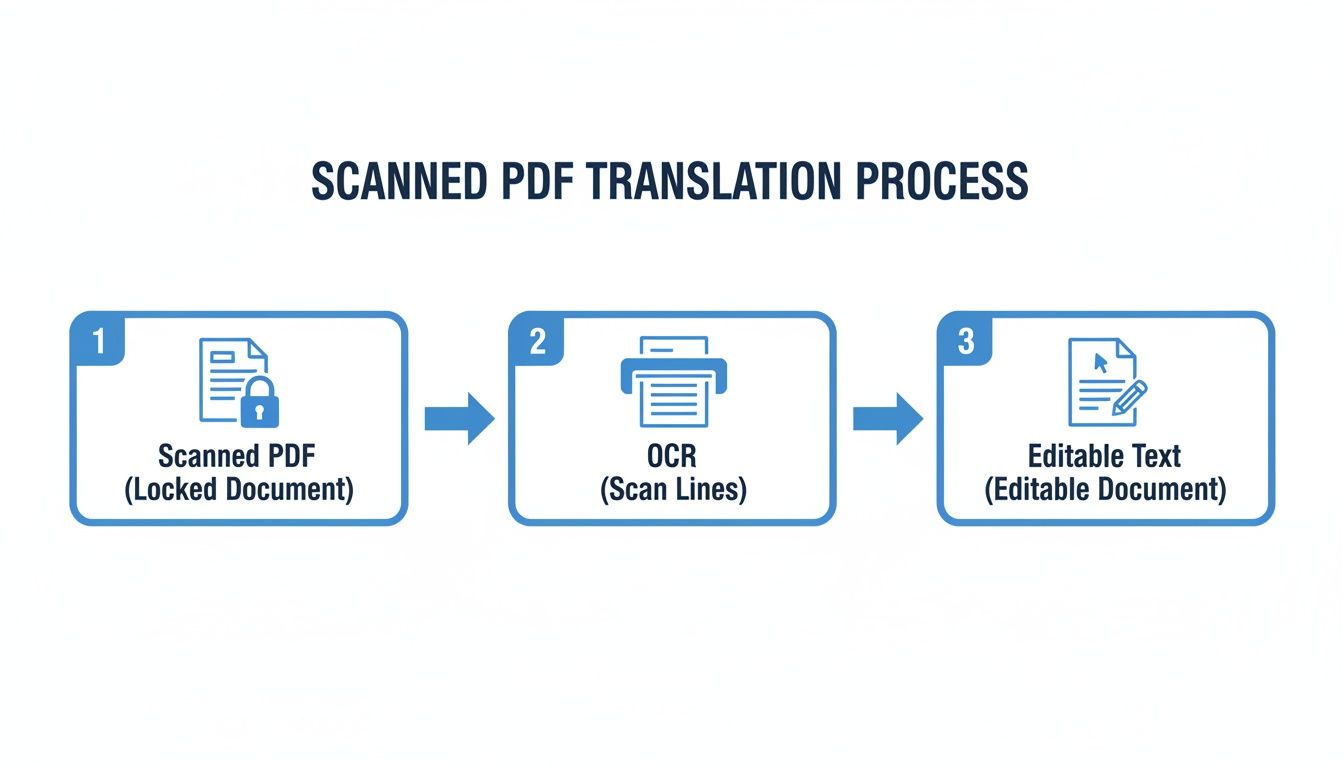
This simple three-step flow—from scanned PDF to OCR to editable text—is the backbone of the entire process. Getting this part right makes everything else so much smoother.
From Raw Text to Usable File
Once you’ve run the OCR, your next move is to pick the right file format. This decision directly impacts how well the final layout holds up after translation. A huge part of this is knowing how to effectively convert image to text from your scans to get something that's truly editable.
For most business reports, articles, or legal documents, exporting to a DOCX file is the way to go. It's universally compatible and makes manual cleanup a breeze. You can easily fix headings, adjust paragraph breaks, and correct any little OCR mistakes before sending it off for translation.
For authors, academics, or anyone translating long-form content like books or dissertations, converting to an EPUB file is a total game-changer. EPUBs are designed to handle complex structures—think chapters, nested headings, and footnotes. This is essential for specialized AI translation tools like BookTranslator.ai to perfectly maintain the document's original architecture.
Creating a clean, well-structured source file in the right format is more than half the battle. If you want to go deeper, check out our guide on effective OCR and translation strategies. A little time invested upfront will save you from hours of frustrating cleanup work later.
How to Preserve Your Document's Original Layout
So, you've run your scanned PDF through an OCR tool. The good news? You have editable text. The bad news? It’s probably a mess. Raw OCR output often looks like a digital disaster—broken paragraphs, headers that are just plain text, and tables that are anything but.
This next phase is all about cleanup. Think of it as restoring the document's original blueprint. It’s a hands-on, manual process, but it's absolutely critical. Getting this right is what allows advanced AI translation tools to understand and perfectly replicate the layout in another language.
This isn’t just a niche problem; it’s a massive challenge across countless industries. The document translation market in North America alone was recently valued at USD 13.708 billion. This figure, detailed in a Cognitive Market Research report, highlights just how many scanned materials are being processed every day, from legal filings to academic textbooks. The market's steady growth underscores the importance of getting this OCR-to-translation pipeline right.
Rebuilding with Styles and Headings
First things first: you need to bring order to the chaos. The best way to do this is by using the "Styles" feature in Microsoft Word or Google Docs. OCR tends to flatten a document's hierarchy, treating everything—chapter titles, section headers, body text—as the same.
Your job is to fix that. Find what was originally a chapter title and apply the "Heading 1" style. Subsections get "Heading 2," and so on down the line.
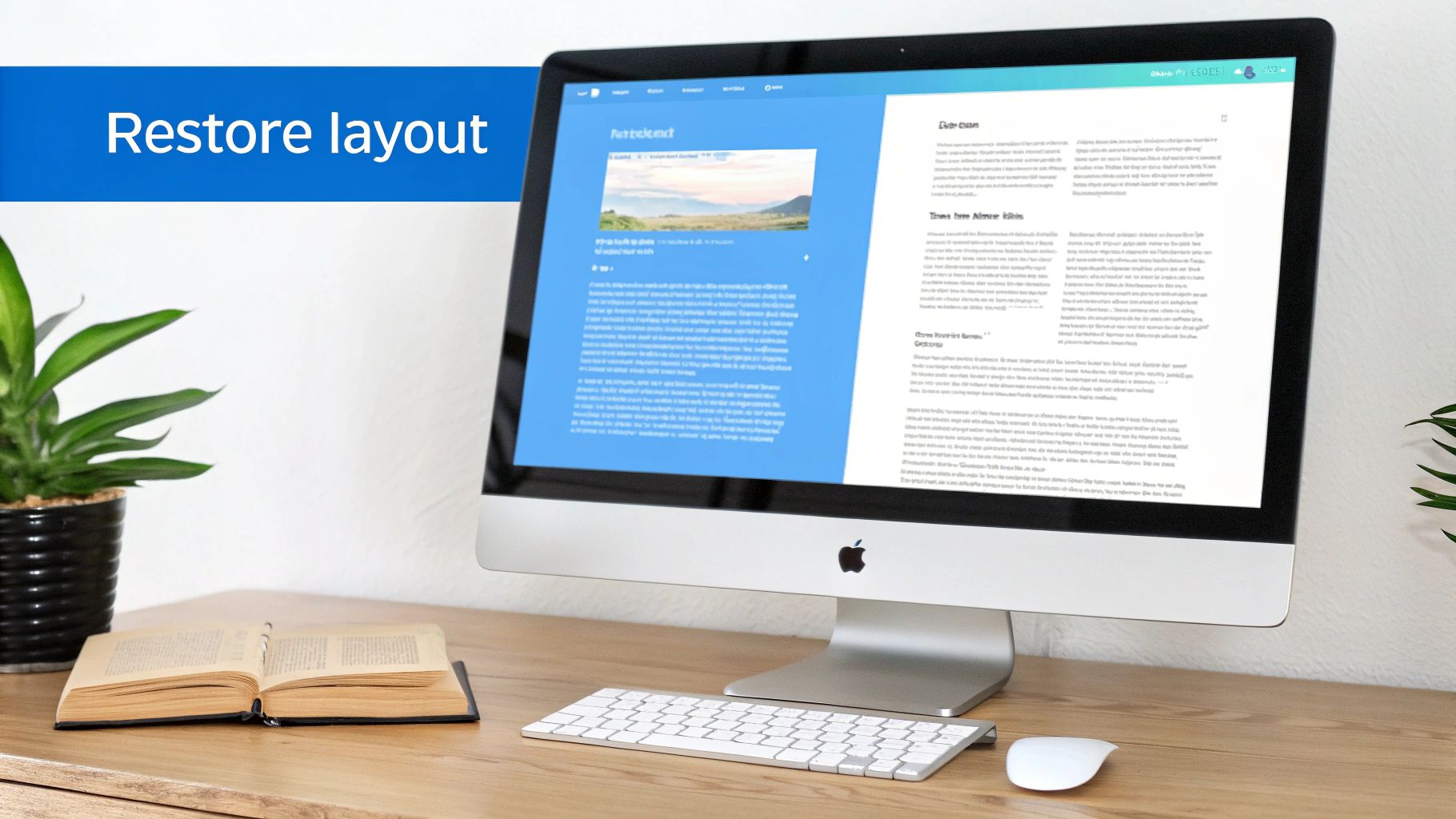
This isn’t just for looks. Applying styles embeds structural metadata into the file itself. It’s like leaving a set of instructions for the translation engine, telling it, "This is a top-level heading; treat it that way." This is especially important for services like BookTranslator.ai, which depend on this structure to keep chapters and sections organized correctly.
Fixing Paragraphs and Reconstructing Tables
Once your headings are in place, turn your focus to the body text. OCR often inserts bizarre line breaks mid-sentence, a common issue with documents formatted in narrow columns. You'll need to go through the text and patiently stitch these fragments back into complete, flowing paragraphs.
Tables are another frequent victim. A clean, structured table in the original PDF can become a garbled mess of tab-separated text after OCR. The only real solution here is to rebuild it from scratch.
Pro Tip: Don't waste your time trying to fix a mangled table with spaces and tabs. It never works. Instead, delete the jumbled text entirely and use your word processor’s "Insert Table" function to create a new, properly structured grid. Then, carefully copy and paste the cell data from the OCR output into your new table.
This manual cleanup is the most important, non-negotiable step if you want a high-fidelity translation. The time you put in here pays off directly in the quality of the final translated document. For more tips on the entire process, check out our guide on how to translate a scanned PDF.
Selecting the Right AI Translation Engine
Alright, you've done the hard work of cleaning up your document and getting it into a perfectly structured format. Now comes the moment of truth: choosing the right AI translation engine to carry it over the finish line.
This is a bigger decision than most people realize. Not all translation tools are built the same, and your choice here will have a massive impact on the quality, accuracy, and formatting of the final book. You need to look past the generic, one-size-fits-all services and find an engine that truly fits your content.
For a simple, text-only document, a general-purpose translator might get the job done. But for complex scanned PDFs—especially books, academic papers, or detailed manuals—you need a specialized solution. These advanced platforms are engineered to do much more than just swap words. They’re designed to understand and preserve the very structure of long-form content.
What does that actually mean? It means the AI can recognize headings, respect chapter breaks, and maintain the author's intended flow, even across dozens of languages. It's the difference between getting a jumbled wall of text and a translated document that looks and feels just like the original.
Generalists vs. Specialists
I like to think of it this way: a general translation tool is like a multi-purpose pocketknife. It’s handy for a lot of small, simple tasks. But when you have a precise, complex job to do, you grab a dedicated instrument from the toolbox.
Generalist Platforms: Tools like Google Translate or DeepL are fantastic for quick translations of emails, web articles, or short reports. They're fast and easy to use, but they almost always struggle to maintain the intricate formatting of a book or a detailed manual. You'll get the basic meaning, but the layout will likely be a mess.
Specialist Platforms: Services like BookTranslator.ai are purpose-built for long-form content—novels, research papers, and textbooks. They're optimized to process structured files like EPUBs, using the embedded metadata to ensure the final translation mirrors the original's layout, chapter by chapter.
This specialized approach is a huge driver behind the growth of the translation services market, which is projected to balloon to USD 1.18 trillion by 2035. The demand for tools that can accurately handle scanned books and research papers is exploding. For platforms like BookTranslator.ai, this means combining OCR with sophisticated neural machine translation to turn a scanned book into a perfectly formatted, multi-language edition in hours, not weeks. You can read more about the growth of the translation services market.
Aligning Your Tool with Your Goal
Ultimately, choosing the right engine comes down to what you're trying to achieve. Are you just trying to get the gist of a foreign-language document for a quick internal review? A general tool is probably fine.
But if your goal is to publish a translated book, distribute a multilingual user manual, or present academic research to a global audience, a specialist engine is non-negotiable. It protects the author's voice, preserves the reader's experience, and respects the document's original structure.
This is how you ensure your work retains its professionalism and readability, no matter the language. By investing in the right tool for the job, you make the entire process of translating scanned PDF documents smoother and far more successful.
For more insights, check out our detailed guide on the best translation software available today.
Your Final Quality Assurance Checklist
You've done the heavy lifting, and the AI has gotten you about 95% of the way there. But that last 5%? That’s where the magic happens. This final quality check is what turns a decent translation into a truly professional one.
Don't skip this part. A final human review is absolutely critical for catching the subtle errors, awkward phrasing, and cultural nuances that algorithms, no matter how good, can still miss. Think of it as the final polish before you publish—it’s what protects your credibility and ensures your message lands perfectly with your new audience.
The Side-by-Side Comparison
One of the most reliable methods I’ve found for QA is a simple side-by-side comparison. Pull up the original scanned PDF on one side of your monitor and the newly translated document on the other. It’s the only real way to see if the translation process has knocked anything out of place.
As you go through, keep your eyes peeled for a few key things:
- Layout Integrity: Are all the headings, paragraphs, and page breaks where they should be?
- Visuals and Captions: Check that images, charts, and diagrams haven't shifted. Make sure their captions are not only translated correctly but also properly aligned.
- Table Accuracy: Tables are notorious trouble spots. Double-check that every cell is correct, as OCR and translation tools can sometimes jumble the data.
This visual audit is a lifesaver. It helps you catch formatting drift that you'd completely miss if you were just reading the text alone. It’s a straightforward but incredibly powerful step for preserving the document’s original structure after translating scanned PDF documents.
Spotting Common AI Errors
AI translation is a game-changer, but it definitely has its blind spots. Knowing where it tends to trip up can make your proofreading much faster and more effective. You're essentially looking for issues that demand human intuition—things like context, tone, and cultural specifics.
For authors and publishers, this is a must-do step.
A review by a native speaker is the ultimate quality check. They have an innate sense for what sounds natural and can instantly catch clumsy idioms or cultural references that don’t quite work. This is how you protect your authorial voice and make sure the translation feels authentic.
Here’s a quick hit list for your final pass:
- Contextual Accuracy: Does the chosen translation of a word actually fit the specific sentence and the broader topic?
- Cultural Nuances: Have idioms, slang, or regional references been adapted properly? Sometimes they need a complete overhaul, not a direct translation.
- Grammar and Typos: No tool is perfect. Run a final spell check, but also read the text out loud—you’ll be surprised at what your ear catches that your eyes miss.
- Consistent Terminology: Make sure key terms are translated the same way every time they appear. Consistency is key for a professional, easy-to-read document.
Frequently Asked Questions
When you're dealing with scanned PDF translations, a lot of questions pop up. I've been through this process countless times, so let's walk through the most common ones I hear.
Can I Translate a Scanned PDF Without OCR?
The short answer is no, you can't. Think of a scanned PDF as just a picture of words. Your computer sees pixels, not letters. You have to run it through Optical Character Recognition (OCR) first.
This is the non-negotiable step that turns that flat image into actual, editable text that translation software can understand. Skipping OCR is like handing a photo of a book to a translator and expecting them to work with it—it just doesn't work.
What Is the Best File Format for Translation?
This really comes down to what you're translating.
For straightforward documents—think business reports, articles, or simple brochures—a DOCX (Microsoft Word) file is usually your best bet. It's easy to work with and does a good job of keeping basic formatting intact.
But if you're tackling a book, a dense academic paper, or a technical manual, EPUB is the way to go. EPUB files are built to understand the deep structure of a document, like chapters, tables of contents, and footnotes. This built-in structure is gold for AI translation tools, helping them produce a final translation that looks just like the original.
How Do I Keep My Original Formatting After Translation?
Keeping your layout from falling apart is a three-step dance. It starts with the scan itself. A high-quality, clean scan fed into a good OCR tool will prevent a ton of headaches right from the start.
Next, you have to get your hands dirty with a little manual cleanup. Open the converted file in your word processor and fix things. Apply proper heading styles (Heading 1, Heading 2, etc.) and correct any awkward paragraph breaks. This prep work is crucial.
Finally, choose your translation tool wisely. You need a service designed to recognize and respect the formatting you've just preserved. These tools are built to mirror the structure of your source file in the translated version, which is what separates an amateur job from a professional one.
Is AI Translation Good Enough for Professional Use?
Absolutely. Modern AI translation is remarkably good and can get you 95% of the way to a perfect translation for many professional needs, like internal company documents or research materials. It's an excellent way to produce a very solid first draft.
For mission-critical content—things like legal contracts, marketing materials, or books you intend to publish—the smart move is to have the AI's output reviewed by a native speaker. That final human pass catches the subtle nuances of tone and culture that make a translation truly feel natural.
If you have more questions about the nitty-gritty of OCR and PDF translation, you can often find great information on Buddypro's FAQ page.
Ready to see how seamless this can be? BookTranslator.ai is built for this. Upload your EPUB, and our AI will deliver a meticulously formatted translation in over 50 languages, preserving your book's original layout. Give it a try today at https://booktranslator.ai.