
So, you want to translate manga into English. Great. You’ve got two main ways to tackle it: the smart, modern way using digital EPUB files, or the old-school "scanlation" route that involves manually editing image scans. Both get you to the finish line, but the EPUB path saves you a ton of grunt work on text extraction and cleaning up the artwork.
Your Modern Manga Translation Workflow
Getting a Japanese manga ready for an English-speaking audience can feel like a huge undertaking, but it really just boils down to a series of manageable steps. The first, and most important, decision you'll make is what you start with—a digital EPUB or a folder of scanned images. That choice will define your entire process.
This guide will walk you through both methods, from the nitty-gritty of pulling text with Optical Character Recognition (OCR) to the more creative tasks of redrawing art and setting the new text. We'll also look at how newer tools are making this whole process quicker and more accessible than it's ever been.
A Huge, Untapped Market
Let's talk about why this is such a big deal. The demand for English manga is massive and growing. Think about it: Japan has published an estimated 700,000 manga titles, but only a tiny fraction—around 14,000, or 2%—have been officially translated into English. That leaves a treasure trove of 686,000 titles locked away from a global audience that's hungry for them.
The market reflects this demand, too. In 2024, it's valued at over $1 billion and is expected to triple by 2033. For translators and publishers, the opportunity is crystal clear.
The Two Core Workflows
How you approach a project really hinges on your source material. Let's break down the two main paths.
The EPUB Method (Recommended): If you can get your hands on a digital EPUB file, you're already way ahead of the game. In an EPUB, the text and images are separate layers, which means you can skip the tedious job of erasing Japanese text from speech bubbles. You can just pull the text out and get right to translating.
The Image-Based Method (Traditional Scanlation): This is the classic approach, starting with high-resolution scans of the physical manga pages. It's a lot more hands-on. You'll spend a good amount of time "cleaning" the pages to remove the original text, using OCR software to extract it, and then carefully placing the English translation back into the cleaned-up panels.
This diagram gives you a quick visual of how the process flows, from source to final product.
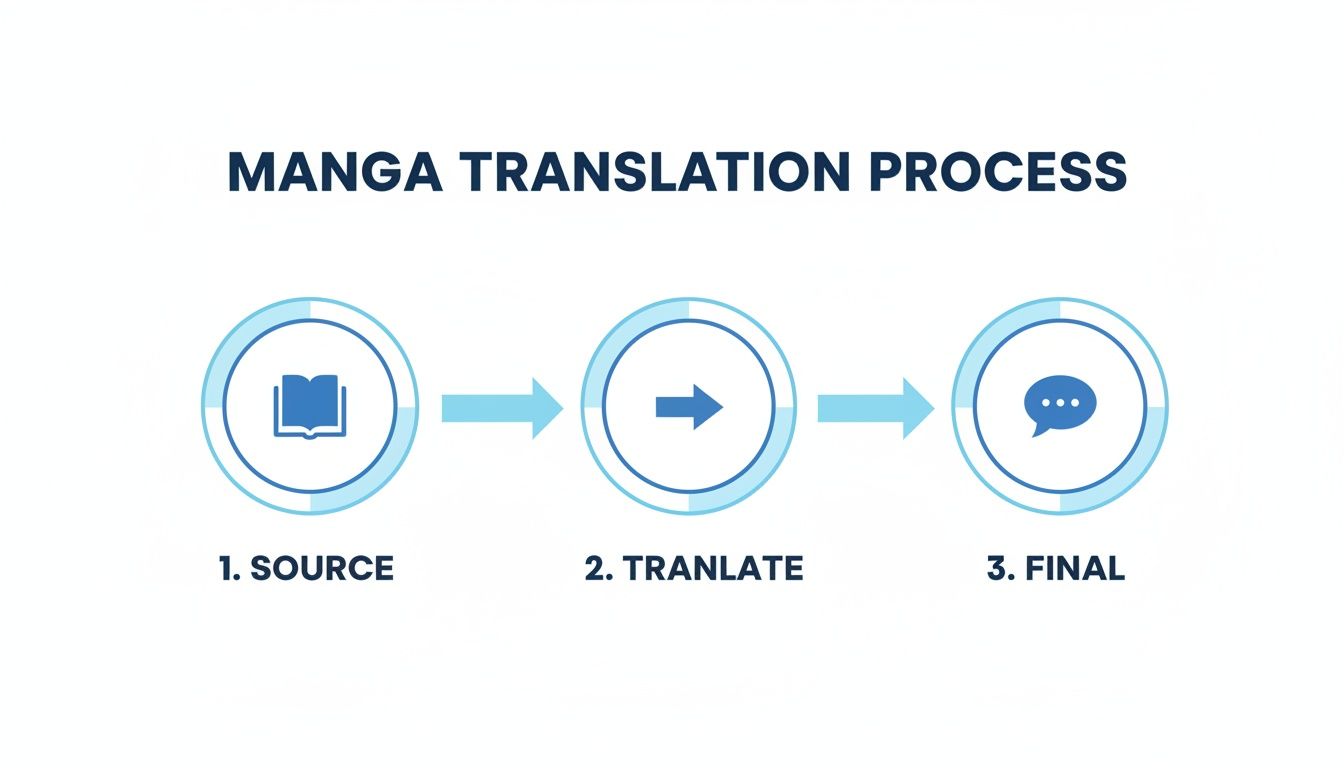
As you can see, the basic stages are the same, but the effort and tools required are completely different depending on where you start.
To make it even clearer, here’s a side-by-side look at what each workflow involves.
Manga Translation Workflow At a Glance
This table breaks down the key differences between the two primary methods for translating manga into English, showing you what to expect based on your starting format.
| Workflow Step | EPUB-Based Method (Recommended) | Image-Based (Scanlation) Method |
|---|---|---|
| 1. Text Extraction | Automated: Text is already separate from images. Extract directly from the EPUB file in seconds. | Manual: Use OCR software on images. Requires proofreading and correction for accuracy. |
| 2. Artwork Preparation | Minimal: No cleaning needed. Artwork is pristine and ready to go. | Intensive: Manually "clean" speech bubbles and sound effects in an image editor like Photoshop or GIMP. |
| 3. Translation | Efficient: Use translation tools like BookTranslator.ai to process the extracted text file. | Standard: Translate the OCR'd text using your preferred method (CAT tool, manual, etc.). |
| 4. Typesetting | Streamlined: Import translated text and place it back into the original, layered layout. | Complex: Manually place and format text into cleaned image panels, matching fonts and styles. |
| 5. Final Output | High Quality: Easily generate a new EPUB, CBR, or layered PSD file with perfect text and art fidelity. | Variable: Quality depends heavily on the skill of the cleaner and typesetter. Usually results in a CBR/CBZ. |
Ultimately, choosing the right workflow comes down to your resources and goals. If you're looking for speed and efficiency, especially for larger projects, learning to automate translation workflows with AI tools is a game-changer. This guide will give you the roadmap to produce a polished, professional translation that does justice to the original work.
Getting Your Manga Files Ready for Translation
Before you even touch a single line of dialogue, you need to get your source files in order. Honestly, getting this part right from the start is a massive sanity-saver. It’s the difference between a smooth project and hours spent wrestling with technical gremlins later on. Your approach will hinge entirely on what you're starting with—a stack of images or a clean digital EPUB.
The Classic Image-Based Scanlation Workflow
The old-school, traditional route is what’s known as scanlation. This workflow begins with high-resolution digital scans of each manga page, usually as JPGs or PNGs. Your first big job, and it's a doozy, is "cleaning" these pages. That means firing up an image editor like Adobe Photoshop or the free alternative GIMP and meticulously wiping all the original Japanese text from every single speech bubble, narration box, and sound effect.
This isn't just a simple erase-and-fill job. It's an art form often called redrawing, and it can be incredibly tedious, especially with detailed backgrounds. I remember a fan translator talking about working on a manga set during a rainstorm; they had to manually "extend every single raindrop that intersected" with the Japanese text to make the page look clean. You’re not just removing text; you're often rebuilding the art hidden behind it.
After the art is prepped, you have to tackle the text itself. You'll need Optical Character Recognition (OCR) software to scan the original, uncleaned pages and lift the Japanese text into a document you can actually work with. This process is never perfect. Expect to spend a good amount of time manually comparing the OCR output to the original images and correcting errors, which, of course, requires a decent understanding of Japanese.
Here’s how that process usually breaks down:
- Get High-Quality Scans: Don't skimp here. You want the best resolution you can get, at least 300 DPI, to keep everything sharp.
- Clean Up the Art: Open your scans in an image editor. Use tools like the clone stamp or healing brush to carefully remove the Japanese text and redraw any background art that was covered.
- Run OCR on the Originals: Use a Japanese-capable OCR tool on your original, un-cleaned scans to generate a raw text file.
- Proofread the OCR: This is crucial. Go through the extracted text line-by-line against the original manga and fix all the inevitable recognition mistakes. Only then is your script ready for translation.
My Take: The scanlation method gives you absolute control over the final look, but the upfront manual labor is immense. The quality of your cleaning and redrawing is what separates a professional-looking release from an amateur one.
The Modern EPUB Workflow
Thankfully, there’s a much more streamlined path if you can get your hands on a digital manga in EPUB format. Think of an EPUB as a self-contained website; the text and images are separate elements, not permanently flattened together like in a JPG. For a translator, this is a total game-changer.
Since the text is already separate, you get to skip the most painful parts of the old workflow. No manual cleaning, no redrawing, and no wrestling with OCR. You can pull the entire script directly from the EPUB file in minutes and jump right into the actual translation.
This is where modern tools like BookTranslator.ai really shine. They're built to work directly with EPUB files. You can upload an entire manga volume, and the platform handles the translation while keeping the original layout and formatting intact. It's a massive time-saver—a project that might take weeks the old way can be done in a matter of hours.
Even if your manga is in a comic-specific format like CBR or CBZ, you're still in good shape. These are just zipped archives of images, but they can be converted. Taking a little time to learn how to convert CBR or CBZ files to EPUB (https://booktranslator.ai/blog/cbr-cbz-to-epub) opens the door to this far more efficient method. That one conversion step can make your entire project drastically more manageable.
Choosing Your Translation Method: AI or Manual
Alright, you've got your source files cleaned up and ready to go. Now comes the biggest decision of the entire project: how are you actually going to translate this thing? This choice sets the stage for everything that follows—your timeline, your budget, and the skills you'll need.
You're basically looking at two main paths: the modern, AI-powered route or the traditional, manual approach that scanlation groups have used for years.
Neither one is universally "better." The right fit really depends on your specific goals, the format of your source files, and the resources you have on hand.
The Modern AI Translation Path
AI has completely changed the game, especially if you're working with digital EPUB files. Tools built specifically for this, like BookTranslator.ai, are designed to tear through this format with mind-boggling efficiency. We're not talking about pasting text into a generic translator line-by-line; you can upload an entire manga volume as a single EPUB.
In just a few minutes, the AI chews through the whole book and spits out a fully translated version. The best part? It keeps the original layout, chapter breaks, and text styling intact. It's a massive shortcut.
- Blazing Speed: You can get a first draft of a full volume done in the time it takes to brew a pot of coffee. A project that would take a human team weeks is ready for editing in under an hour.
- Layout Preservation: The AI respects the EPUB's structure. You don't have to rebuild the book from individual pages—the translated text just slots right back where it belongs.
- Rock-Solid Consistency: AI nails the small stuff. Key terms, character names, and special attack moves will be translated the same way on page 200 as they were on page 10. That's a huge headache gone.
If you're curious about how this is even possible, it's worth looking into Large Language Models (LLMs) in language processing. This is the core tech that lets AI understand context, slang, and artistic nuance, making it a surprisingly good fit for creative media like manga.
The Traditional Manual Translation Method
On the other side, you have manual translation. This is the heart and soul of the fan translation, or "scanlation," community. It hinges on a human translator—ideally someone who lives and breathes both Japanese and English—to interpret the script. This is the go-to method when you're working from image files where the text was pulled using OCR.
The huge advantage here is total, granular control. A talented translator can catch subtle cultural jokes, puns, and character-specific speech patterns that an AI might gloss over initially. But that level of detail comes with a hefty price tag in time and effort.
My Take: Manual translation is absolutely an art form, but it's a grind. I once heard a fan translator talk about spending hours upon hours just redrawing complex backgrounds, like extending every single raindrop behind the original text bubble, before they even got to the translation part. That dedication is incredible, but it really shows you the kind of time sink you're looking at.
AI vs. Manual: A Head-to-Head Look
So, how do you choose? It really boils down to a trade-off between speed, cost, and how much hands-on control you need.
| Feature | AI Translation (with EPUB) | Manual Translation (Scanlation) |
|---|---|---|
| Speed | Extremely Fast: Get a draft of an entire volume in minutes. | Very Slow: Can take weeks or even months per volume for a team. |
| Cost | Affordable: Often a pay-per-book model, like with BookTranslator.ai. | High/Variable: Free if you have volunteers, but very pricey if hiring pros. |
| Accuracy | High (and improving): A fantastic starting point that needs a human touch. | Potentially Higher: Entirely dependent on the translator's skill level. |
| Best For | Large-scale projects, quick turnarounds, and solo creators. | Niche projects needing deep cultural nuance and artistic flair. |
Honestly, for most projects today, a hybrid approach makes the most sense. Use an AI tool like BookTranslator.ai to do 90% of the heavy lifting by generating a high-quality first draft. This frees you up to focus your energy on the most important part: the final post-editing and polishing that makes the translation truly shine.
Bringing the Translation to Life: Editing and Typesetting
Getting your text translated is a massive step, but the work isn't over yet. Not by a long shot. To really create a professional-grade English manga, you need to master two crucial crafts: post-translation editing and the art of typesetting.
Think of a raw AI translation as a rough-cut gem. All the potential is there, but it needs a skilled hand to cut the facets and polish it until it shines. This final polish is what elevates a translation from merely readable to truly captivating.
The Human Touch in Post-Translation Editing
Let’s be clear: even the best AI translation requires a human editor. The machine does the heavy lifting, but a person provides the soul—the nuance, cultural context, and artistic flair that make a story resonate. As an editor, your job is to take a technically accurate script and mold it into natural, flowing English dialogue.
You're not just spell-checking. You're listening for the unique voice of each character. Does the gruff samurai sound different from the cheerful high school girl? He absolutely should. A character's verbal tics and mannerisms need to stay consistent from the first page to the last.
Here's what you should be laser-focused on:
- Cultural Nuances: Some things just don't have a direct equivalent. Take "Yoroshiku onegaishimasu" (よろしくお願いします). You can't just plug in a single English phrase. It might mean "Nice to meet you," "I'm in your care," or "Let's work well together," all depending on the scene. Context is king.
- Dialogue Flow: Read the lines out loud. Seriously. Does it sound like something a person would actually say? Stiff, robotic phrasing will pull the reader right out of the story and kill any emotional impact.
- Character Consistency: Keep a mental file on each character's speech patterns. If someone speaks formally, they shouldn't suddenly drop into casual slang unless the plot demands it.
- Honorifics: You need a plan for Japanese honorifics like -san, -chan, and -kun. Do you keep them for authenticity? Remove them for a smoother read? Or swap them for Western titles like "Mr." or "Miss"? There’s no single right answer, but whatever you choose, stick with it.
The Art of Typesetting
Once your script is polished and ready, it's time for typesetting. This is where you place the translated text back into the cleaned-up speech bubbles and narration boxes. Good typesetting is invisible; the reader should never even think about it. Bad typesetting, on the other hand, is a glaring distraction.
The industry-standard tool here is Adobe Photoshop, thanks to its powerful text and layer controls. If you're on a budget, GIMP is a fantastic free alternative that gets the job done. The goal is to make the text look like it was drawn there from the start.
A Quick Word on Redrawing: In a traditional scanlation workflow, typesetting comes after "cleaning" and "redrawing." This means manually erasing the original Japanese text from the art and then painstakingly recreating the background that was behind it. It's an incredibly time-consuming process that can take hours for a single, complex panel.
Choosing the right font is probably the most critical decision you'll make in typesetting. A default font like Arial or Times New Roman screams "amateur." Look for comic-style fonts that match the original manga's tone and feel. Many fan groups and professional studios even use custom-made fonts.
Beyond the font itself, how you place and size the text matters immensely. It should fit naturally within the speech bubble, not crammed in or swimming in empty space. Make sure the bubble's tail clearly points to the speaker. If you’re dealing with a lot of images, it’s worth looking into how a modern AI image translator handles text detection and replacement; it can offer great insights for streamlining your process.
Watch out for these common typesetting blunders:
- Bad Hyphenation: Avoid breaking words across lines if you can help it. It’s choppy and disrupts the reader’s flow.
- Inconsistent Sizing: Keep your main dialogue text at a consistent size. Only make it bigger for shouting or smaller for whispering.
- Ignoring Bubble Shape: Fit the text block to the bubble's shape. A long, skinny bubble requires a different text layout than a short, round one.
In the end, it's the combination of great editing and thoughtful typesetting that breathes life into a translated manga. By focusing on both the words on the page and how they look, you create a professional-quality work that truly honors the original creator.
Getting the Legal and Ethical Stuff Right
Before you even start thinking about sharing your translated manga, we need to talk about the legal and ethical side of things. It's a big deal. When you translate manga to english, you're stepping right into the complicated world of international copyright law, and you really don't want to get this part wrong.
The bottom line is pretty simple: translating and sharing a manga without getting permission from the copyright holder is copyright infringement. The original creator (mangaka) and their Japanese publisher own the rights, and just like with books or movies, their work is legally protected.
This fact alone draws a hard line between different kinds of translation projects. If you're serious about this, a solid foundation in understanding intellectual property protection is non-negotiable.
The Fan Translation Dilemma
The world of fan translations, or "scanlations," has a long and passionate history. These projects are almost always born from a genuine love for a series that hasn’t been officially released in English yet. Many scanlation groups follow a kind of unwritten code, like pulling their versions down once a title gets an official license.
But here’s the reality: these activities are, at best, in a legal gray area. While some publishers have historically looked the other way, seeing it as free marketing that builds hype, the legal risk is always there. Copyright holders can, and often do, send out takedown notices or even take legal action.
Things get a lot clearer—and more serious—when money enters the picture. Unauthorized commercial distribution is a serious offense. If you try to sell your fan translation, run ads on a site hosting it, or profit in any way from someone else's work without a license, you're practically inviting legal trouble.
The Right Way to Do It
So, how do you translate manga legally and ethically? Thankfully, there are clear, legitimate paths you can take, especially if you're hoping to build a career or a professional portfolio in this field.
- Team Up with Indie Creators: A lot of independent or 'doujinshi' creators are surprisingly open to having their work translated. Try reaching out to an artist directly on platforms like Pixiv or X (formerly Twitter) to ask for permission. This can lead to some amazing collaborations.
- License the Official Rights: For bigger, established series, the official route is to formally license the rights from the Japanese publisher. This is a pretty complex business deal usually handled by publishing companies, but it's the standard for every official release you see on shelves.
- Work for a Publisher: The most common career path is to work as a translator, either freelance or in-house, for an English-language manga publisher like Viz Media, Yen Press, or Seven Seas Entertainment.
Key Takeaway: The safest and most respectful approach is always to get permission first. Working with creators who give you their blessing not only keeps you on the right side of the law but also honors the incredible effort they poured into the original manga.
Common Questions on Manga Translation
Diving into manga translation for the first time? You've probably got questions. It's a field with a lot of moving parts, and getting straight answers from the start can save you a world of headaches down the road. Let's clear up some of the most common questions people ask when they decide to translate manga to english.
How Long Does It Take to Translate a Volume of Manga?
This is the big "how long is a piece of string?" question. The timeline really hinges on your approach. There's no single answer, but your experience will fall into one of two very different camps.
If you're working with a clean EPUB file and a modern tool, the initial translation can be shockingly fast. Something like BookTranslator.ai can chew through an entire volume and spit out a translated first draft in a matter of minutes. The bulk of your time then shifts to post-editing—refining the dialogue, checking for nuances, and proofreading—which could be anything from a few hours to a couple of days, depending on how polished you want the final product to be.
Then there’s the old-school, manual scanlation route. This is a marathon, not a sprint. For one person or even a small, dedicated team, a single volume can easily take several weeks, if not months. That timeline balloons because you're doing everything by hand: scanning pages, cleaning up digital artifacts, redrawing art that sits behind text, running OCR, correcting the extracted text, translating, and then painstakingly typesetting every single bubble.
A Glimpse into the Grind: I once heard a fan translator talk about spending an entire weekend on a single two-page spread. The scene was set in a downpour, and they had to manually redraw every single rain line that was obscured by the original Japanese text. That’s the kind of meticulous, often frustrating work that the image-based process demands.
Is It Legal to Translate Manga and Post It Online?
Let's be direct about this one: No. In almost every scenario, translating and sharing manga online without getting permission from the Japanese copyright holder is illegal and a form of copyright infringement.
While "scanlations" have been a huge part of manga culture for decades, they've always operated in a legal gray area at best. The creators and their publishers own the rights to that work. They can—and often do—issue takedown notices or pursue legal action. If you want to stay completely above board, your options are:
- Get Official Permission: This means contacting the publisher in Japan and licensing the rights. It’s a complex and expensive process usually reserved for established companies.
- Work on Public Domain Titles: Good luck finding any. Most manga is far too recent to have its copyright expire.
- Become a Professional: Get hired as a translator for a licensed publisher like VIZ Media or Yen Press.
This guide is all about the "how-to," but it's crucial to always respect the law and the incredible amount of work creators pour into their stories.
What’s the Best Software for Typesetting Manga?
When it comes to typesetting, the pros have a clear favorite: Adobe Photoshop. It's the industry standard for a reason. Its powerful layer system, advanced text controls, and versatile image editing tools give you everything you need to seamlessly place dialogue, recreate sound effects (SFX), and produce a final product that looks professionally published.
Looking for a free alternative that can hold its own? GIMP (GNU Image Manipulation Program) is your best bet. It’s an open-source powerhouse that offers a lot of the same functionality as Photoshop. Be warned, though; it has a bit of a steeper learning curve if you're coming in cold.
Another popular choice, especially among artists, is Clip Studio Paint. While it’s designed primarily for illustration, its text and comic-creation features are surprisingly robust and make it a fantastic tool for the job.
Can I Just Use AI to Translate Text from Manga Images?
Technically, yes, but it's not the clean, one-click process you might be imagining. It's actually a clunky, multi-step workflow that pales in comparison to starting with a proper digital format like an EPUB.
To do it from an image, you first have to use an OCR (Optical Character Recognition) tool with Japanese language support to "read" and extract the text from your JPG or PNG files. Only after you have that raw text can you feed it into an AI translation engine.
The problem? OCR is rarely perfect. You'll almost always have to do a significant amount of manual cleanup—correcting misread characters, fixing formatting, and re-organizing text—before the translation can even begin. This is precisely why starting with an EPUB, where the text is already cleanly separated from the images, is the far smarter and more efficient path for any AI-assisted translation project.
Ready to translate your manga the smart way? With BookTranslator.ai, you can upload your EPUB file and get a high-quality, layout-preserved translation in minutes. Skip the tedious manual work and focus on polishing your story for a new audience. Try it now and bring your manga to the world.