
When you need a quick translation from Italian to English for free, nothing beats the speed and accessibility of web-based tools and mobile apps. Tools like Google Translate and the free version of DeepL deliver immediate results for short snippets of text, common phrases, or even entire web pages, making them perfect for those everyday language puzzles.
Your Go-To Guide for Instant Italian Translation
Let’s be honest, sometimes you just need a translation right now. Maybe you're trying to figure out a menu in a tiny trattoria in Florence or understand an Instagram comment from an Italian friend. This is where free online tools truly shine—they're built for speed and simplicity, acting as your first-line defense for bridging small language gaps.
This kind of immediate access is more important than ever. The demand for Italian to English translation has shot up, in large part because Italy has a huge digital population but relatively low English proficiency. A staggering 74% of Italians are online, yet the country ranks 35th in the world for English skills. This gap means millions of people depend on apps like Google Translate every day, but it also shows where these casual tools hit their limits and more serious solutions are needed. For a deeper dive, Creative Words offers some great insights into the Italian translation market.
Comparing the Top Free Translators
The big three in the free translation space are Google Translate, DeepL, and Microsoft Translator. They all offer a similar basic service, but each has its own strengths and is better suited for different tasks.
To help you choose the right tool for the job, here’s a quick breakdown of the most popular options.
Comparing Free Italian to English Translation Tools
This table gives you a side-by-side look at the top free tools, highlighting where each one excels.
| Tool | Best For | Accuracy on Idioms | Key Feature |
|---|---|---|---|
| Google Translate | Quick, on-the-go translations (signs, menus, etc.) | Decent, but can be very literal and miss subtle meanings. | Camera translation and broad language support. |
| DeepL (Free Tier) | Longer text, emails, and professional content. | Excellent. Often captures nuance and tone more accurately. | Context-aware, natural-sounding sentences. |
| Microsoft Translator | Business communication and technical terms. | Good, but sometimes struggles with casual or poetic language. | Seamless integration with Microsoft Office and other apps. |
Ultimately, the best tool is the one that fits your immediate need.
The right tool really depends on the situation. For a quick photo translation of a street sign, Google is king. But if you're trying to grasp the tone of a professional email, DeepL’s free version will almost always give you a more accurate and less robotic result.
Real-World Scenarios and Recommendations
Picture this: you're browsing an Italian e-commerce site. Pasting the product description into DeepL will likely give you a much clearer idea of the item's quality and features.
On the flip side, if you're just surfing the web on your phone, you might prefer the built-in translation features in browsers like Chrome or Opera, which can translate an entire page with a single click. We actually have a guide that shows you exactly how the Opera browser translate page feature works if you want to learn more.
Here’s a great example of Google Translate’s mobile app using its camera feature to provide instant translation.
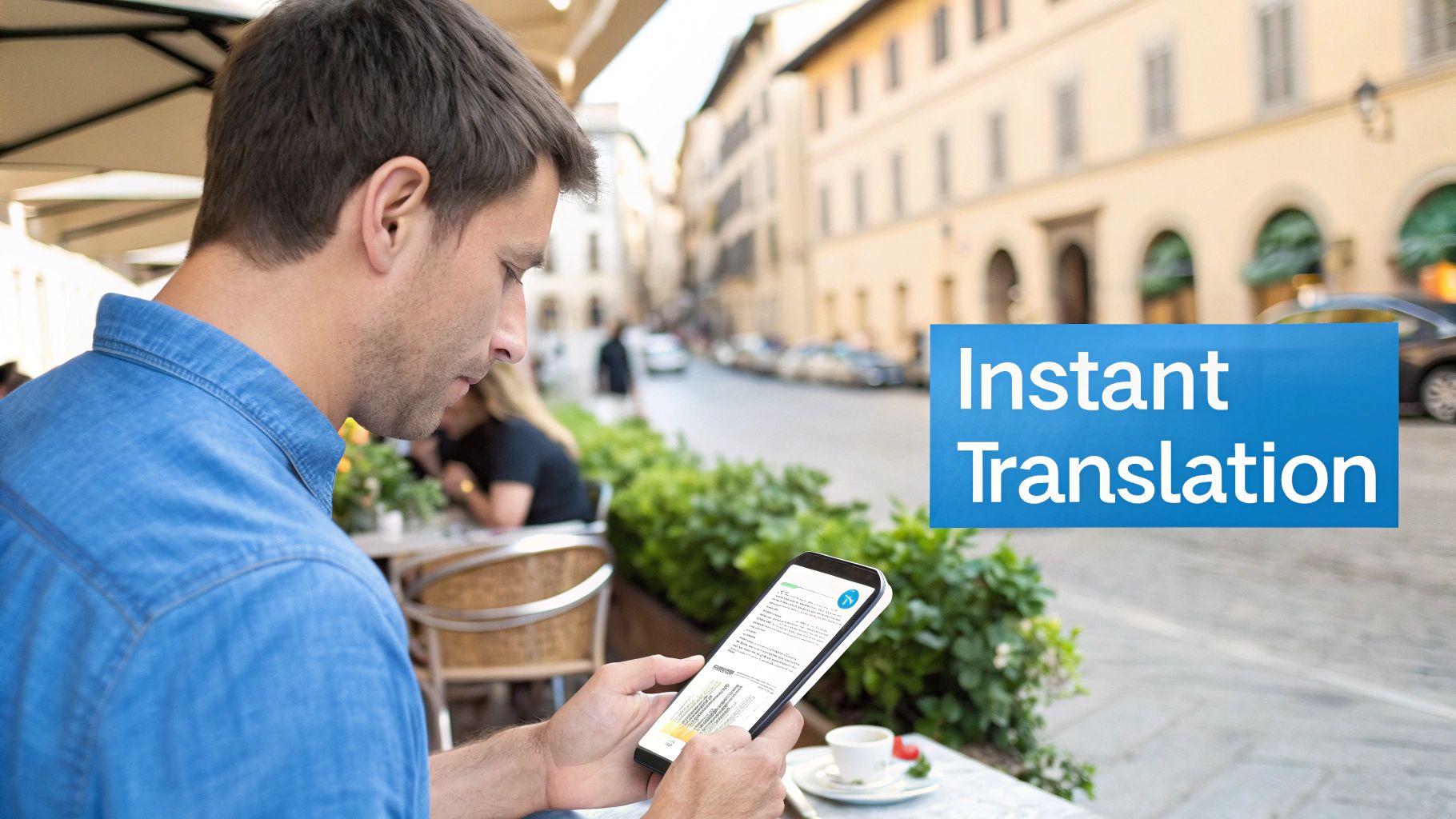
This image perfectly captures the magic of modern translation apps for on-the-go situations. Being able to just point your camera at text and see a live translation pop up is a game-changer for travelers trying to navigate public transport or simply order lunch.
Dealing with Long Documents and Scanned PDFs for Free
When you just need to translate a quick phrase, a web tool is your best friend. But what about when you’re staring down a 50-page Italian report, a dense academic article, or a scanned historical document? The simple copy-paste trick quickly becomes a nightmare. This is where you need a smarter workflow for getting a translation from Italian to English for free.
The biggest hurdle with scanned documents—like a PDF of an old book or a photo of a newspaper article—is that the text isn't really text at all. It's just an image of letters on a page. Before you can translate it, you have to turn that picture back into digital, editable words.
Turning Pictures into Words with OCR
The magic behind this conversion is Optical Character Recognition, or OCR for short. You’ve probably already used it without even thinking about it. Fantastic free tools like Google Lens (built into the Google app on your phone) or the OCR feature baked right into Google Drive are perfect for this.
Here’s a simple, effective way to put them to work:
- For Images: Just open the image in Google Lens. It’ll automatically spot the Italian text, letting you highlight and copy it with a tap.
- For Scanned PDFs: Upload the file to your Google Drive. Then, right-click on it, hover over "Open with," and select "Google Docs." Drive will work its magic, performing OCR and creating a new Doc with the extracted text right below the original images.
In just a few clicks, you've turned a locked, non-editable document into something a translation tool can actually read.
From Text Extraction to Translation
Now that you have the raw Italian text, it’s time for a quick cleanup. OCR technology has come a long way, but it's not infallible, especially if the scan quality is poor or the layout is tricky. You'll probably spot some weird mistakes, like a "cl" misinterpreted as a "d" or random line breaks popping up mid-sentence.
Spend a few minutes scanning the extracted text and fixing these obvious errors. This pre-editing step is critical. It’s the difference between "garbage in, garbage out" and getting a decent result. A cleaner source text will always produce a more accurate English translation.
Once you’ve done your quick proofread, you can grab the whole block of text and drop it into a powerful free translator like DeepL or Google Translate. Because you took the time to prep the text, the final translation will be far more coherent and readable. This whole process is a lifesaver for anyone needing to understand the core message of a longer document without typing it all out by hand.
The goal of this free method isn’t to achieve literary perfection—it's about comprehension. You're combining free OCR and translation tools to make an otherwise inaccessible document understandable.
What About Formatting?
One of the biggest headaches with this method is that the extraction process often obliterates the original formatting. Headings, paragraph breaks, tables, and lists all tend to vanish, leaving you with a wall of text. For a short article, that’s manageable. For a structured report, it can make the translation a real pain to read.
Unfortunately, preserving complex layouts is one of the main limitations of most free tools. You'll likely have to go back and manually reapply some basic formatting after the translation is done.
If you find yourself wrestling with scanned documents often, you might want to check out our more in-depth guide on how to translate a scanned PDF, which covers some more advanced techniques.
How to Translate an Entire Ebook From Italian to English
So, you have an entire Italian ebook you want to read in English. At first, it seems like a monumental task. You can't just copy and paste an entire EPUB file into a web translator—they're often locked down and way too big for free tools anyway. But with the right workflow, it's totally doable.
The secret weapon for this job is a brilliant, free piece of software called Calibre. If you deal with ebooks at all, you should have this. It’s like a Swiss Army knife for your digital library, and for our purposes, its main job is to crack open that ebook file.
First, Convert Your Ebook Into Plain Text
Before any translation can happen, you have to liberate the text from the EPUB format. Calibre is perfect for this. It can convert the ebook into something much more translation-friendly, like a Microsoft Word file (DOCX) or even a simple text file (TXT). This step effectively strips out the copy protection and lays out the entire book as raw, editable text.
The process itself is pretty simple once you have Calibre installed:
- First, add your Italian EPUB file to your Calibre library.
- Next, select the book and find the "Convert books" button.
- A new window will pop up. In the top-right corner, set the output format to DOCX. I recommend DOCX because it tries to keep some of the basic formatting, like chapter breaks.
- Hit "OK," and let Calibre do its thing.
In a few moments, you’ll have a single, massive Word document with all the Italian text from your book. Now you're ready for the actual translation part.
A common pitfall is trying to dump a 300-page document into a free translation tool. They almost always have character or file size limits, and you'll just end up with an error message or a half-finished translation. You have to be a bit more strategic.
The "Chunking" Method: Your Key to Free Translation
Now that you have your DOCX file, the trick is to break it down into manageable pieces. I call this the "chunking" method. Don't even think about translating the whole thing at once. Instead, work chapter by chapter, or even in 10-page chunks if the chapters are long.
This approach keeps you safely under the free limits of tools like DeepL or Google Translate. The workflow looks like this:
- Open your big DOCX file.
- Copy the text of the first chapter.
- Paste it into your chosen web translator.
- Copy the English output.
- Paste that English text into a new, separate Word document.
Just repeat that process for every chapter. Yes, it's manual and takes some time, but it works, and it's free.
This simple workflow is all about preparation. Getting the source material clean and ready is just as important as the translation itself.
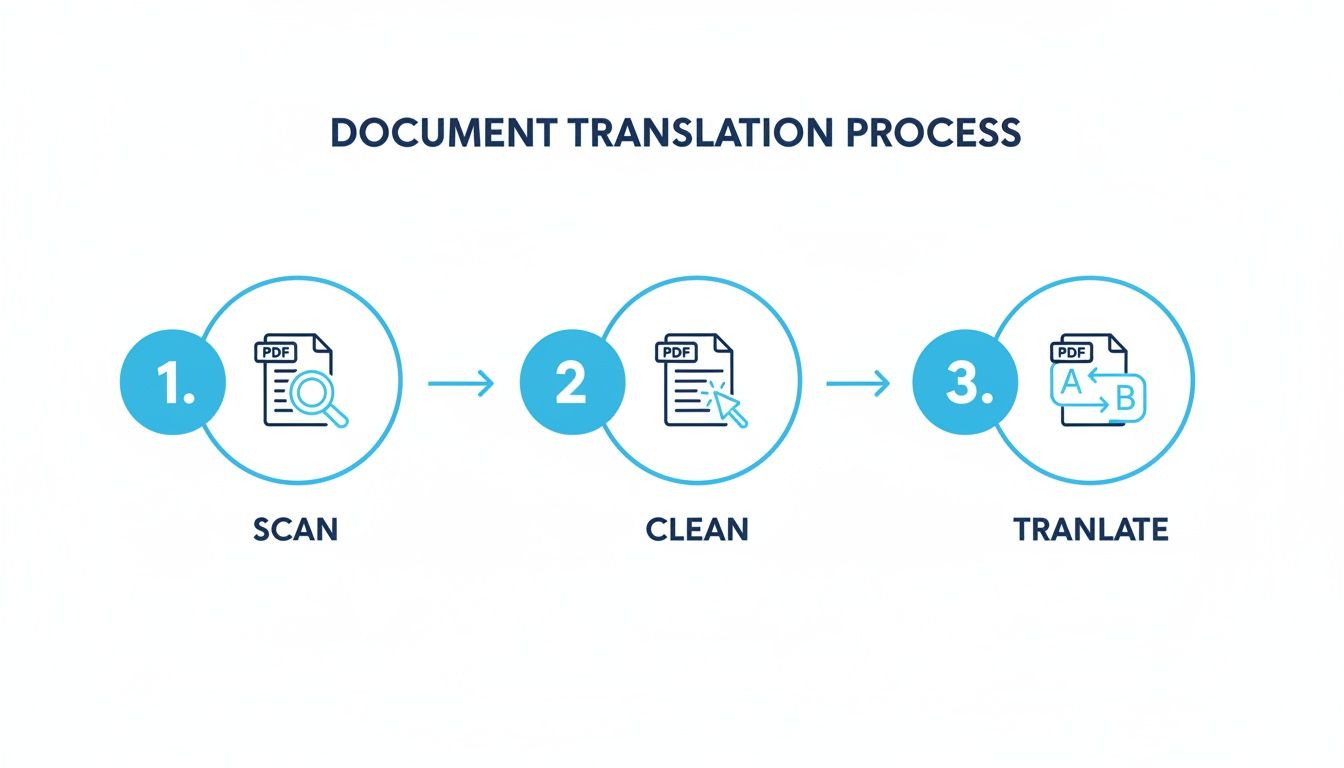
When you're all done, you’ll have a complete English version of the book compiled in your new document. It won't be a professional-grade translation—expect some awkward phrasing—but it will be perfectly readable.
The interest in this is huge, partly thanks to Italy's 63 million native speakers and the global appeal of the language. While free tools are great for this kind of project, they have their limits. If you need a perfect translation that keeps all the original EPUB formatting intact, a dedicated service is the way to go.
And once you have a translated book you're proud of, you might even consider sharing it. You can find some of the best places to sell translated ebooks and potentially reach a whole new audience. For now, though, this manual process gives you a fantastic way to access a world of Italian literature that was previously out of reach.
Polishing Your Machine Translation: The Human Touch
Getting that instant translation is a fantastic start, but let's be honest—it’s rarely the finished product. The raw output from a machine is usually functional, but it often lacks the rhythm, cultural nuance, and natural feel of something written by a person.
To get your text from just "understandable" to actually polished, you need to step in and play the role of editor. This is all about two simple but powerful ideas: pre-editing and post-editing.
Think of it like preparing a meal. Pre-editing is getting your ingredients ready—washing the produce and chopping everything up. Post-editing is tasting the dish as it cooks and adding the final seasonings. You need both to get a great result.
Pre-Editing: Clean Up the Italian Source Text First
Before you even copy-paste that Italian text into a translation tool, take a minute to clean it up. This is pre-editing, and the goal is to give the AI the clearest possible source material to work with. Remember, garbage in, garbage out. A messy, confusing sentence in Italian will almost certainly become a messy, confusing sentence in English.
Here are a few quick checks that make a world of difference:
- Chop up long sentences. Italian is famous for its beautiful, flowing, and sometimes very long sentences. Break those complex thoughts into shorter, more direct statements.
- Swap out slang and idioms. Phrases that a native speaker would understand instantly can completely throw an AI for a loop. Replace colloquialisms with more standard Italian.
- Fix typos and grammar mistakes. Even a single typo can derail the meaning of an entire sentence. Give it a quick proofread.
For example, a casual phrase like "Ci becchiamo dopo, mi raccomando!" is classic informal Italian. An AI might fumble this and spit out something bizarre like "We peck each other later, I recommend!"
If you pre-edit it to something clearer like "Ci vediamo più tardi, per favore sii puntuale," the AI has a much better shot at landing on the correct English: "See you later, please be on time."
Post-Editing: Refine the English Output
Once you have the machine-generated English, the real work begins. This is post-editing, where you apply the human touch to correct the AI's inevitable awkwardness and outright errors. Your understanding of context, tone, and culture is something the machine just can't replicate.
You're not re-translating from scratch. You're polishing. Your job is to spot the common tripwires for machine translation.
Post-editing isn’t just about hunting for mistakes; it's about restoring meaning. The AI gives you the words, but you have to give them a soul. You're checking for flow, tone, and intent—not just grammatical accuracy.
Italian is packed with idioms that have no direct English equivalent. The classic example is "In bocca al lupo!" which literally means "In the mouth of the wolf!" The actual meaning is "Good luck!" A good AI might know this one, but it will almost certainly miss more subtle expressions.
Here’s a practical checklist for your post-editing pass:
- Hunt for literal translations. Look for phrases that just sound… off. Does the text say "take a decision" when it should be "make a decision"? These are dead giveaways of a machine's handiwork.
- Check the tone. Does the translation match the original's formality? A casual, friendly email shouldn't sound like a stuffy legal document.
- Correct grammar goofs. AIs still trip over things like plurals, verb tenses, and articles (the, a, an).
- Keep it consistent. Make sure important terms are translated the same way every time they appear. Inconsistency can create a lot of confusion for the reader.
By putting in a little effort with these pre- and post-editing steps, you can dramatically improve the quality of any translation italian to english for free. This "human in the loop" approach turns a clunky machine draft into a final text that is clear, accurate, and truly readable.
Knowing the Limits of Free Translation Tools
Getting a quick translation Italian to English for free is a game-changer for casual needs, but it's crucial to know where these tools hit a wall. They’re built for speed and convenience, not for perfection. While they're fantastic for a quick lookup or understanding the gist of an email, their limitations become glaringly obvious with anything more complex, like a novel or an academic paper.
The biggest sacrifice is usually nuance. Free AI translators often miss the cultural subtext, the dry humor, or the specific literary flair that makes a piece of writing unique. They’re great at translating words, but they struggle with meaning. The result? A beautifully crafted Italian sentence can become a clunky, robotic mess in English. This is a deal-breaker for creative content where the author's voice is everything.
Then there's the formatting nightmare. Have you ever tried to translate a well-structured document, like an e-book or a business report, with a free tool? It often strips out everything—chapters, headings, italics, even simple paragraph breaks. You're left with a massive, unreadable wall of text that takes hours to fix by hand.
When Free Is No Longer Good Enough
You'll quickly realize you've outgrown free tools the moment accuracy and presentation become critical. At this point, you don't just need a translation; you need a solution that respects the author’s original intent and the document's professional structure.
Think about these real-world situations where free tools just don't cut it:
- Literary Works: Translating a novel isn't just about changing words. It's about capturing a unique voice, and free tools simply aren't built for that kind of artistic interpretation.
- Academic Papers: You can't afford to lose citations, footnotes, or have complex terminology garbled. Precision is key, and that's beyond the scope of a basic translator.
- Business Documents: For reports, presentations, and manuals, a professional layout is non-negotiable. Broken formatting makes the entire document look unprofessional.
The global translation industry is massive for a reason. While a service like Google Translate helps over 500 million daily users, serious work demands a more robust solution. Even among language professionals, where 70% use machine translation to some extent, a whopping 83% insist on human review to ensure quality. This points to a huge gap between "good enough for free" and "professionally acceptable." You can explore more translation industry trends to see just how much the market is growing.
Bridging the Gap with Specialized Tools
This is exactly where services like BookTranslator.ai come in. They are designed from the ground up to handle long-form content like e-books, tackling the very problems that free tools can't solve.
Just look at the interface. It's not a simple text box. It’s built to manage entire book files, ensuring the final translation keeps its original structure intact. That's the key difference.
At the end of the day, free tools have opened up a world of possibilities for basic translation. But they come with hidden costs—your time, your reader's experience, and the quality of the final product. Understanding the truth about "free" translation APIs makes it clear why a dedicated, paid service is often the smartest move for any project that truly matters.
Got Questions About Free Italian to English Translation?
When you first start exploring free tools for translating Italian, a few common questions always pop up. It's smart to know the limits of these tools before you dive in. Let's tackle some of the most frequent ones I hear.
Can I Use These Free Tools for Official Documents?
Absolutely not. This is a critical point. Free, automated translation tools are fantastic for casual use, but they are completely unsuitable for official or legal documents.
Think about things like birth certificates, legal contracts, or university transcripts. These require certified translations to be legally binding. An automated tool simply can’t grasp the precise legal terminology and nuance required, and official bodies will reject the translation outright. For anything official, you must use a certified human translator. There's no way around it.
How Can I Translate a Whole Italian Website?
This is actually one of the easiest tasks. Modern web browsers like Google Chrome and Safari have a built-in translation feature that's incredibly handy. Just navigate to an Italian website, and you'll usually see a small pop-up asking if you want to translate the page to English.
Another quick method is to copy the website's URL and paste it directly into the Google Translate website.
This is perfect for browsing online stores or reading articles. Just a heads-up: it can occasionally mess with the site's layout or make interactive elements like buttons a bit glitchy.
What About Different Italian Dialects? Can Free Tools Handle Them?
This is a major stumbling block for most free tools. Translation engines are trained on massive amounts of text, but that text is almost always standard Italian.
If you try to feed them text in a regional dialect—like Neapolitan, Sicilian, or Venetian—they're going to struggle. These dialects have unique vocabularies, grammar, and idioms that the AI just doesn't recognize. The result is often a jumbled, nonsensical mess. For the best results, stick to standard Italian.
Is It Possible to Translate a Book and Keep the Formatting for Free?
Trying to do this with free tools is a fast track to a massive headache. Web-based translators are built to handle raw text, which means they strip out all the formatting.
Imagine your book without chapters, headings, italicized words, or even page breaks. You’d just get a giant, unreadable wall of text. Sure, you could painstakingly copy and paste your book, section by section, and then manually reformat the entire thing. But honestly, who has the time for that? It’s an incredibly tedious process.
When it comes to preserving the complex structure of a book, a specialized service is really the only practical solution. A tool like BookTranslator.ai is built specifically for this purpose. It can process entire EPUB files at once, ensuring your translated book looks just as professional as the original, with all the formatting intact.
Ready to see the difference? Translate your first book today.