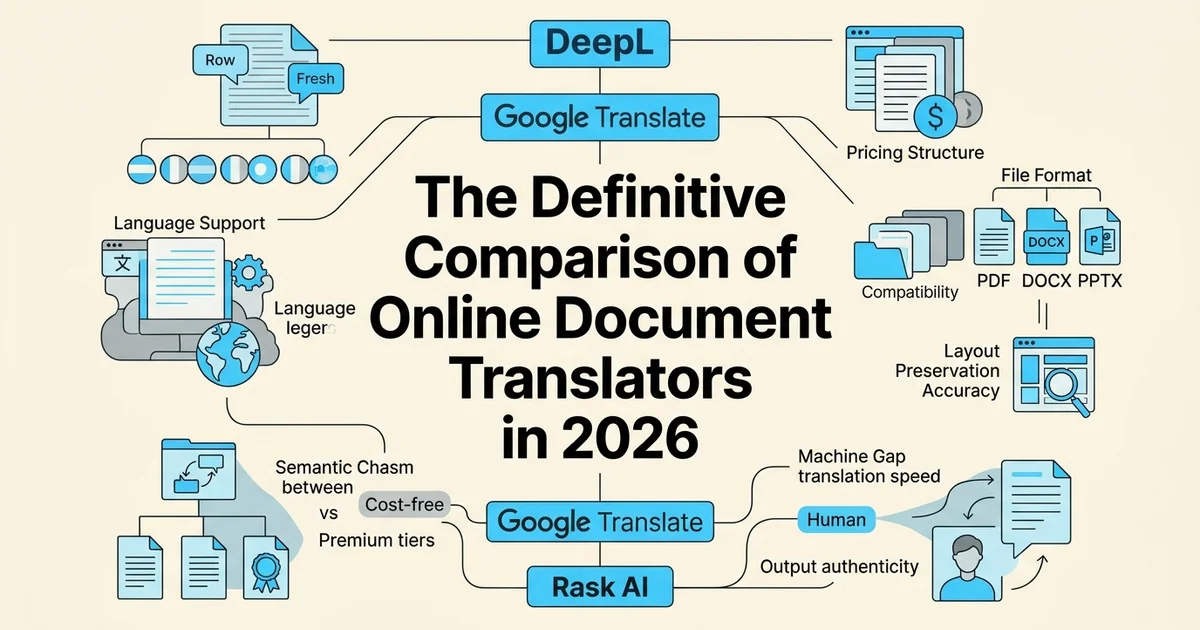
Introduction: choosing the right online document translator
Online document translators have moved well beyond simple word-for-word substitution. Today's tools handle complex file formats, preserve layouts, and maintain contextual meaning across dozens of languages, making them essential in modern publishing, academic, and professional workflows.
What document translation actually involves
Translating a document is fundamentally different from translating a sentence or a paragraph. A general text translator treats content as a string of words. A document translator must also interpret structure: headings, footnotes, embedded images, chapter breaks, font styles, and page flow. Lose any of those elements and the output becomes unusable, regardless of how accurate the language conversion is.
This distinction matters enormously for the audiences most affected by it: independent authors preparing foreign-language editions, publishers managing multilingual catalogues, academic researchers sharing work across borders, and readers who simply want a book in their native language.
Why the market has grown so quickly
The demand for capable document translation tools is not a niche concern. According to Online Tech Tips (2025), the global AI language translator market was valued at USD 8.6 billion in 2025, with text and document translation accounting for 48.4% of that figure. Two trends are driving investment in this space: format preservation and a growing preference for quality-focused paid tools over free, stripped-down alternatives.
What this comparison covers
This article evaluates leading online doc translator options across four criteria that readers consistently prioritise: cost and pricing structure, translation accuracy, format preservation, and language support breadth.
The tools reviewed include DeepL, Rask AI's Free Book Translator, and BookTranslator.ai. For authors and publishers working specifically with EPUB files, BookTranslator.ai's Basic Translation Plan offers a focused starting point: AI-powered translation into 99+ languages that preserves chapters, images, footnotes, and styles without rebuilding the file from scratch.
Each tool is assessed using the same framework. No tool receives automatic top billing.
Quick comparison table: side-by-side overview
A side-by-side matrix is the fastest way to identify which tool fits your specific workflow. The table below evaluates DeepL, Rask AI's Free Book Translator, and BookTranslator.ai across the criteria that matter most to authors, publishers, and researchers.
| Feature | Google Translate | DeepL | BookTranslator.ai |
|---|---|---|---|
| Language Coverage | 130+ languages | 29 languages | 99+ languages |
| File Format Support | PDF, DOCX, PPT, images | PDF, DOCX, limited formats | EPUB (specialized) |
| Layout Preservation | Basic | Strong | Excellent (EPUB-native) |
| Cost Model | Free | Pay-per-character or subscription | Flat per-book fee |
| Account Required | No | Yes | Yes |
| Best Use Case | Quick, broad translations | Quality-focused professional work | Book-length EPUB manuscripts |
| Criteria | DeepL | Rask AI | BookTranslator.ai |
|---|---|---|---|
| Languages supported | 33 | 135+ | 99+ |
| File formats | DOCX, PDF, PPTX | Multiple (up to 10 MB) | EPUB |
| Pricing model | Freemium + subscription | Freemium | Pay-per-translation |
| Formatting preservation | Partial | Partial | ✅ Full (layout intact) |
| Context-aware AI | ✅ | ✅ | ✅ |
| Book-length documents | Limited | Limited | ✅ Optimised |
| Money-back guarantee | ✗ | ✗ | ✅ 7-day |
| No subscription required | ✗ | ✗ | ✅ |
Which tool is best for me?
- General documents and business files: DeepL's precision across 33 languages makes it a strong choice, as noted by The Way Next (2025).
- Broad language coverage on a budget: Rask AI covers 135+ language pairs with a free entry tier.
- Full EPUB books with intact formatting: BookTranslator.ai is purpose-built for this use case, including support for languages such as Somali that many tools handle poorly.
No single tool wins every category. Your format, language pair, and document type should drive the decision.
Overview of Google Translate for documents
Google Translate remains the most widely used online doc translator in the world, largely because it costs nothing, requires no account, and works directly in a browser. Upload a file, select a target language, and a translated version downloads within seconds. For casual, everyday translation needs, that frictionless experience is genuinely hard to beat.
How the document upload workflow works
The process is straightforward. Visit translate.google.com, click the "Documents" tab, upload your file, choose your source and target languages, and hit translate. Google processes the file on its servers and returns a translated document you can download immediately. No sign-up, no subscription, no waiting for a confirmation email.
Language support and file formats
Google Translate supports 133 languages, giving it one of the broadest coverage footprints of any tool in this comparison. Supported file formats include:
- PDF (with some layout limitations)
- DOCX (Microsoft Word)
- PPTX (PowerPoint)
- XLSX (Excel)
- TXT
File size is capped at 10 MB per document. For most short reports, articles, or academic papers, that limit is rarely a problem. For longer manuscripts or image-heavy PDFs, it can become a genuine constraint.
Strengths worth noting
- Zero cost barrier: The consumer product is entirely free for personal use.
- No account required: Useful when privacy or speed matters more than features.
- Continuous model updates: Google regularly improves its neural machine translation engine, so quality incrementally improves over time without any action on the user's end.
- Accessibility: It works on any device with a browser, making it a practical fallback for users in regions with limited software access. This is particularly relevant for tasks like translating Indonesian to English, where Google's broad language index covers many regional variants.
Limitations to keep in mind
Formatting preservation is inconsistent, especially with complex PDFs. Tables, multi-column layouts, and embedded graphics often shift or break during translation. According to thewaynext.com (2025), DeepL outperforms Google Translate on accuracy for several European languages, which suggests Google's quality advantage is not universal across all language pairs.
For specialized content such as legal contracts, medical literature, or literary fiction, the output can feel generic and miss domain-specific nuance.
When Google Translate is the practical choice
Google Translate makes the most sense when you need a quick, free, no-commitment translation of a standard document in a common language pair. It is ideal for researchers skimming foreign-language sources, travelers reviewing local documents, or anyone who needs a rough translation rather than a publication-ready one. For polished, formatted output or long-form content like books, more specialized tools are worth the investment.
Overview of DeepL for documents
DeepL positions itself as the quality-first alternative in the online doc translator market. Where Google Translate prioritizes breadth and accessibility, DeepL competes on linguistic precision, producing translations that read less like machine output and more like something a skilled human translator would produce. That distinction matters enormously for professional and publishing contexts.
DeepL's translation quality and natural phrasing
DeepL's core reputation rests on its neural translation engine, which was trained with a heavy emphasis on contextual accuracy and natural phrasing. According to TheWayNext (2025), DeepL produces the most natural and contextually accurate translations in editorial comparisons, consistently outperforming competitors in nuance and readability. For authors, academics, and publishers who need translated text that actually sounds like it was written in the target language, this is a meaningful advantage.
The difference is especially noticeable in complex sentence structures, idiomatic expressions, and technical terminology. DeepL tends to preserve the author's intended meaning rather than defaulting to a literal, word-for-word rendering that can feel awkward in the target language.
Supported languages and file formats
DeepL currently supports 33 languages, which is a significantly smaller footprint than Google Translate's 100-plus. For European language pairs in particular, that narrower focus translates into noticeably stronger output. Supported file formats for document translation include PDF, Word (.docx), PowerPoint (.pptx), and a small number of additional formats depending on the plan.
Formatting retention is one of DeepL's genuine strengths. Uploaded documents are returned with their original layout largely intact, which reduces post-translation cleanup for structured files like reports, academic papers, and formatted manuscripts.
Limitations worth knowing
DeepL's smaller language roster is its most obvious constraint. If your target language falls outside its supported set, it simply is not an option. Beyond coverage, document translation on DeepL requires a paid subscription. Free-tier users can translate text snippets but cannot upload full documents for formatted output, which creates a real barrier for casual or one-off use cases.
According to TheWayNext (2025), DeepL is the stronger choice for translation quality, while Google Translate remains preferable when broader language coverage is the priority.
When DeepL is worth the investment
DeepL earns its subscription cost for professionals working within its supported language pairs who need polished, publication-adjacent output. Legal documents, academic research, technical manuals, and business reports all benefit from its accuracy. For book-length or EPUB-format content, however, DeepL's document support has structural limits that more specialized tools are built to address.
Overview of BookTranslator.ai for EPUB book translation
Where DeepL's document support reaches its structural limits, BookTranslator.ai steps into a more specialized lane. Rather than positioning itself as a general-purpose online doc translator, it is built exclusively around book-length EPUB content, addressing the workflows that authors, self-publishers, and publishing houses actually face.
The difference between document translation and book-specific workflows
Most online document translators treat a file as a collection of text segments. A book is something more structured: chapters with internal references, footnotes, recurring character names, stylistic voice that must stay consistent across hundreds of pages, and an EPUB container that must remain intact after translation.
BookTranslator.ai is designed around that reality. Its translation engine applies context-aware processing across the full manuscript, maintaining consistency in terminology, names, and narrative voice from chapter one to the end. The translated output is the same EPUB file with only the words changed, not a rebuilt document that risks losing images, styles, or formatting metadata. For anyone translating English to Spanish or working across any of its 99+ supported languages, that structural fidelity matters considerably.
Basic and Pro translation plans
BookTranslator.ai offers two tiers, both designed for EPUB translation without a subscription commitment:
- Basic Translation Plan: Uses a standard AI model. Suitable for most fiction and non-fiction manuscripts where speed and cost-efficiency are priorities.
- Pro Translation Plan: Uses the newest and most advanced AI model available. Intended for projects where nuanced language, complex terminology, or higher stylistic fidelity is required.
Both plans preserve the original EPUB layout, including chapters, images, footnotes, and styles, and both carry a 7-day money-back guarantee if the translation fails, arrives corrupted, or is incomplete.
When BookTranslator.ai is the right choice
According to Inkfluence AI (2026), one of the primary challenges authors face is finding tools that maintain formatting integrity across long-form content. BookTranslator.ai directly addresses that gap.
It is the right fit when:
- The source file is an EPUB and format preservation is non-negotiable
- The project is book-length and requires consistent voice across chapters
- The user is an independent author or publisher who needs a pay-per-translation model rather than a recurring subscription
- Speed and structural accuracy matter more than access to broad document-type support
For general PDF reports, legal briefs, or short business documents, other tools in this comparison serve better. BookTranslator.ai's value is concentrated specifically in book translation, and that focus is its clearest competitive advantage.
Feature-by-feature comparison: what matters most
Choosing the right online doc translator comes down to more than raw translation quality. Format support, language coverage, layout preservation, and post-translation workflow all shape the final result. The table below summarizes how BookTranslator.ai, DeepL, and Google Translate stack up before we dig into each criterion.

Supported languages and language pairs
All three tools offer broad language coverage, but the specifics matter. According to The Way Next (2025), Google Translate supports over 240 languages while DeepL covers around 30 languages, prioritizing depth of quality over breadth of reach. BookTranslator.ai sits between them at 99+ languages, with a focus on languages where literary translation demand is highest.
For authors targeting major global markets, including Spanish, French, German, Japanese, Chinese, and Portuguese, all three tools provide solid coverage. For niche or regional languages, Google Translate's sheer volume wins on availability, though quality can vary significantly.
File format support
This is where the tools diverge most sharply:
- DeepL handles DOCX, PPTX, PDF, and TXT files, making it a strong choice for business and professional documents.
- Google Translate supports pasted text, basic document uploads, and web page translation, but offers limited fidelity with complex formatted files.
- BookTranslator.ai is purpose-built for EPUB translation, preserving chapters, images, footnotes, and styles within the original file structure. It does not position itself as a general-purpose document tool.
For authors working with EPUB files specifically, BookTranslator.ai's format support is the most relevant. For PDF reports, legal documents, or slide decks, DeepL is the more practical choice.
Formatting and layout preservation
Layout preservation is arguably the most consequential differentiator for publishing workflows. According to OpenL's PDF translator guide (2025), formatting fidelity is one of the most cited pain points when translating complex documents, with many tools rebuilding layouts rather than preserving them.
BookTranslator.ai's approach is to return the translated file as the same EPUB with only the words changed, not a reconstructed copy. DeepL preserves DOCX formatting reasonably well but can struggle with complex PDF layouts. Google Translate frequently loses formatting when handling anything beyond plain text.
Translation quality by content type
- Literary and narrative content: BookTranslator.ai's context-aware AI is designed to maintain voice, terminology, and consistency across chapters, which matters enormously for fiction and non-fiction books. Authors exploring Kindle Daily Book Deals and global distribution will find consistent voice essential for reader experience.
- Business and technical documents: DeepL consistently ranks highly for formal, precise language and is widely regarded as the quality leader for professional European language pairs.
- General and casual content: Google Translate handles everyday text competently and at scale, though nuance can suffer.
Glossary and terminology control
DeepL offers a glossary feature on paid plans, allowing users to lock specific terms to preferred translations. This is valuable for technical or branded content. BookTranslator.ai's context-aware model maintains consistency across a full book's length without requiring manual glossary setup, though it does not offer a user-editable glossary interface. Google Translate provides no glossary control for standard users.
Speed and processing time
For short documents, all three tools return results in seconds. For full-length books or large files, processing time scales with content volume. BookTranslator.ai handles full EPUB books as single jobs, which suits authors who need a complete, consistent translation rather than a chapter-by-chapter workflow. DeepL and Google Translate are optimized for shorter, faster document jobs rather than book-length projects.
Pricing comparison: normalized costs for real scenarios
Pricing models across online doc translator tools vary significantly, from pay-per-character APIs to flat per-book fees and monthly subscriptions. Understanding what each model actually costs at realistic manuscript lengths reveals meaningful differences that per-page or per-word headline rates can obscure.
Learn more about how Basic Translation Plan can help with online doc translator Basic Translation Plan.
How each tool charges
Each platform uses a distinct billing structure:
- Google Translate (API): Charges per character processed. According to Best AI Tools to Translate a Novel (2026), Google Cloud Translation API pricing sits at USD 20 per 1 million characters, with a free tier covering the first 500,000 characters per month.
- DeepL: Offers a free tier with file upload limits and a Pro subscription starting at a monthly fee, with usage caps that scale by plan tier. Character limits apply per billing cycle.
- BookTranslator.ai: Uses a per-book pricing model with no subscription required. The Basic Translation Plan and Pro Translation Plan are priced by manuscript length, covering EPUB translation with full formatting preservation across 99+ languages.
- TranslateABook: Charges per book based on word count, ranging from approximately €35 for shorter manuscripts to €227 for books up to 200,000 words.
- Rask.ai: Primarily subscription-based, with pricing oriented toward audio and video localization rather than long-form text documents.
Normalized cost: 50,000-word manuscript
A 50,000-word manuscript contains roughly 325,000 characters (using an average of 6.5 characters per word including spaces).
| Tool | Estimated cost | Notes |
|---|---|---|
| Google Translate API | ~USD 6.50 | Below free tier threshold; effectively free for one-off use |
| DeepL Pro | Monthly subscription | File limits may require splitting large documents |
| BookTranslator.ai | Per-book flat rate | Full EPUB preserved; no character counting required |
| TranslateABook | ~€35–€80 | Depends on exact word count bracket |
Normalized cost: 90,000-word manuscript
At 90,000 words (approximately 585,000 characters), costs shift noticeably for character-based tools.
| Tool | Estimated cost | Notes |
|---|---|---|
| Google Translate API | ~USD 1.70 above free tier | Minimal cost, but no formatting preservation |
| DeepL Pro | Subscription required | Character limits may restrict full-book processing |
| BookTranslator.ai | Per-book flat rate | Chapters, images, footnotes, and styles retained |
| TranslateABook | Up to ~€227 | Scales with word count |
Free tier limitations and hidden costs
Free tiers look attractive but carry real constraints. Google Translate's free API tier resets monthly, making it viable only for occasional, low-volume use. DeepL's free plan restricts file uploads to limited document types and sizes. Neither free option includes glossary management, formatting preservation, or dedicated support.
Hidden costs worth accounting for include post-translation editing time (significant when formatting breaks), API integration overhead for developer-dependent tools, and storage or export fees on some platforms. According to Best AI Book Translator for Authors (2026), pricing in this market is becoming increasingly usage-specific, which benefits authors who translate infrequently.
Value-for-money assessment
For authors translating a single manuscript, BookTranslator.ai's no-subscription model avoids the overhead of paying for monthly capacity you may not use. Its per-book flat rate includes formatting preservation, context-aware translation across chapters, and a 7-day money-back guarantee. That bundled value matters when the alternative is paying separately for a translation tool, a formatting fix, and a proofreading pass. For high-volume, short-document workflows, Google's API remains the lowest raw cost. For teams needing collaborative document translation at scale, DeepL Pro's subscription structure may justify its monthly commitment.
Who should choose Google Translate for documents
Google Translate remains the most practical choice when free, immediate access matters more than polished output. It covers over 130 languages, requires no account, and handles most everyday document formats without any setup. For users who need a quick read-through rather than a publication-ready file, it delivers.
Budget-conscious users with broad language needs
Google Translate's most obvious advantage is cost: zero. For independent researchers, students, or small-business owners translating supplier contracts, reference materials, or web content into less common languages, paying for a premium tool is hard to justify. As noted by OpenL (2025), Google Translate is preferable when broader language coverage and free access are the deciding factors. No other tool in this comparison matches its language range at that price point.
Quick reference and general business documents
Google Translate works well for:
- General business correspondence where tone and nuance are secondary to understanding the core message
- Web content and marketing copy being reviewed internally before a professional edit
- Research papers and reports where a researcher needs to grasp the argument, not publish the translation
- Multilingual customer queries that need a fast first-pass response
Realistic expectations for output quality
Users should expect to invest meaningful post-editing effort on anything client-facing. Sentence structure, idiomatic expressions, and domain-specific terminology often require correction. 📝 For literary content, technical manuals, or anything requiring consistent voice across chapters, Google Translate's lack of document-level context awareness becomes a real limitation. In those cases, purpose-built tools are worth the additional cost.
Who should choose DeepL for documents
DeepL is the stronger choice for professionals who need translation quality that goes beyond functional accuracy. Where Google Translate produces output that communicates meaning, DeepL consistently produces output that reads well, making it the preferred online doc translator for anyone whose work will be seen by clients, partners, or the public.
Quality-focused professionals and corporate teams
DeepL fits naturally into workflows where translation is part of a professional deliverable rather than a quick reference task. According to DeepL vs Google Translate: Which Is More Accurate in 2025?, DeepL demonstrates stronger performance on translation quality, particularly for nuanced phrasing and technical terminology. Marketing teams localizing campaign copy, legal professionals working with contracts, and technical writers handling product documentation will all find the output closer to publication-ready.
The premium pricing is justified when the alternative is paying a human editor to substantially rewrite machine-translated text. For high-volume corporate users, DeepL's accuracy often reduces post-editing time enough to offset the cost difference.
European language specialists
DeepL is particularly strong across European language pairs, including German, French, Spanish, Dutch, Polish, and Italian. Organizations working within European markets, or researchers collaborating across EU institutions, will notice a meaningful quality gap compared to free alternatives.
Realistic expectations
Even with DeepL, client-facing documents benefit from a human review pass. Idiomatic expressions, culturally specific references, and highly specialized terminology still require attention. For long-form content requiring consistent voice across many pages, such as book-length manuscripts, a purpose-built translation tool designed for document-level context may serve better than a general-purpose document translator.
Who should choose BookTranslator.ai for book translation
BookTranslator.ai addresses a specific gap that general-purpose document translators leave open: translating book-length manuscripts while preserving the exact EPUB structure, chapter hierarchy, images, footnotes, and typographic styling that authors and publishers depend on.

As document translation tools expand into end-to-end book workflows, the distinction between a general translator and a book-native platform becomes more consequential. According to Inkfluence AI (2026), authors working with EPUB files need tools that treat the entire manuscript as a coherent unit rather than a collection of isolated text segments.
Independent authors and self-publishers
This is BookTranslator.ai's clearest fit. Authors who have written in one language and want to reach readers in additional markets can upload an EPUB, select from 99+ target languages, and receive a translated file where only the words change. The layout, formatting, and structure remain identical to the original. That matters enormously for anyone preparing files for Kindle Direct Publishing or print-on-demand platforms, where formatting errors create real production delays.
The no-subscription model also suits authors working project by project. Pay per translation, with a 7-day money-back guarantee if the output is incomplete or corrupted.
Publishing houses managing multilingual catalogs
For publishers handling multiple titles across multiple languages, consistency of voice and terminology across chapters is a persistent challenge. BookTranslator.ai's context-aware translation is designed to maintain character names, recurring terms, and narrative tone throughout a manuscript rather than treating each chapter in isolation.
When book-specific optimization justifies a specialized tool
General tools like DeepL perform well on shorter documents and business content. For unpublished manuscripts where an author retains full creative control and needs formatting preserved through export, a purpose-built book translation platform removes the manual reconstruction work that general translators typically leave behind.
The verdict: which online document translator should you choose
No single online doc translator wins every category. The right choice depends entirely on what you are translating, how much formatting matters, and whether you need a one-time solution or an ongoing workflow. Here is a clear framework to help you decide.
Winner by category
| Category | Top pick | Runner-up |
|---|---|---|
| Cost for short documents | DeepL (free tier) | Google Translate |
| Translation quality (European languages) | DeepL | BookTranslator.ai |
| Language breadth (99+ languages) | BookTranslator.ai | DeepL |
| Book and EPUB formatting preservation | BookTranslator.ai | None comparable |
| Business and general document use | DeepL | General AI tools |
According to The Way Next (2025), DeepL consistently outperforms competitors on nuance and fluency for European language pairs, making it the strongest general-purpose choice for shorter professional documents.
When to choose DeepL
DeepL is the right tool if you are translating business reports, academic papers, or short documents where formatting is simple and the target language is among its core supported pairs. Its free tier handles most casual use cases without any commitment.
When to choose BookTranslator.ai
If your project is a full-length EPUB, a novel, or any manuscript where chapter structure, images, footnotes, and consistent terminology matter, BookTranslator.ai is the purpose-built solution. Its context-aware AI maintains voice and terminology across an entire manuscript rather than treating each passage in isolation. The no-subscription model also means you pay only for what you actually translate, with a 7-day money-back guarantee reducing the financial risk.
Using multiple tools strategically
These tools are not mutually exclusive. A practical workflow for many authors and publishers involves using DeepL for quick reference checks or short excerpts, then relying on BookTranslator.ai for full manuscript delivery where formatting integrity is non-negotiable.
Actionable next steps
- Translating a business document or short text: Start with DeepL's free tier.
- Translating a full book or EPUB: Use BookTranslator.ai's Basic or Pro Translation Plan depending on how much stylistic precision your project demands.
- Unsure about quality: Both tools offer low-risk entry points. Test a sample before committing to a full project.
According to Inkfluence AI (2026), the best AI book translator for any author is ultimately the one that matches their specific genre, language pair, and formatting requirements, reinforcing that context always determines the winner.
Alternatives to consider beyond these three tools
The three tools covered in this comparison handle most document translation needs well, but specialized use cases sometimes call for purpose-built solutions. Two alternatives stand out as worth evaluating, depending on your project type and budget.
Rask AI: for multimedia and lighter documents
Rask AI supports 135+ language pairs and offers a free tier, making it accessible for users who want to test before committing. Its 10 MB file limit is a practical constraint worth noting upfront. If your project involves audio or video alongside text, Rask AI's broader media capabilities may justify the trade-off. For standard document translation at scale, however, that file ceiling will quickly become a bottleneck.
TranslateABook: for authors and long-form publishing
If you are translating a full manuscript rather than a standalone document, TranslateABook takes a workflow-first approach. Its Author Mode is designed around the specific demands of book-length projects, and its Trustpilot rating of 4.7 across 70+ reviews suggests consistent user satisfaction. Pricing runs from €35 to €227 depending on project size, positioning it as a mid-range option for independent authors and small publishers.
How to evaluate any online doc translator you encounter
Before committing to a tool not covered here, apply a consistent checklist:
- File size and format support: Does it handle your specific file type without conversion?
- Language pair depth: Does it cover your target language with genuine quality, not just nominal support?
- Formatting preservation: Will the output require significant cleanup?
- Pricing transparency: Are costs per word, per page, or per file?
- Refund or trial policy: Can you test quality before paying in full?
According to Online Tech Tips (2025), the right machine translation tool depends heavily on the specific language pair and document type involved, which is why no single tool wins across every scenario.
Frequently asked questions
What is the best online document translator?
The best online doc translator depends on your specific needs. DeepL leads on quality for European languages, Google Translate offers the widest language coverage for free, and BookTranslator.ai is purpose-built for long-form book and EPUB translation with strong formatting preservation.
Can I translate a Word document online for free?
Yes. Google Translate accepts DOCX files at no cost, though formatting results vary. Several tools offer free tiers with file size or page limits before requiring a paid plan.
How do I translate a PDF document online?
Upload your PDF to a tool that supports the format, select your target language, and download the translated output. According to OpenL (2025), DeepL produced the most natural and contextually accurate results in its PDF translator tests, particularly for technical content.
Which online translator preserves formatting?
DeepL and BookTranslator.ai are consistently noted for strong formatting retention. BookTranslator.ai specifically preserves EPUB layout including chapters, images, footnotes, and styles rather than rebuilding the file from scratch.
Is DeepL better than Google Translate for documents?
Generally yes, for quality. According to The WayNext (2025), DeepL is the stronger choice for translation quality, while Google Translate is preferable when broader language coverage and free access matter most.
Can I translate an entire book online?
Yes. BookTranslator.ai is designed specifically for full book translation, supporting 99+ languages while maintaining consistent terminology and voice across chapters. Tools like Rask AI also accept book-length files up to 10 MB.
How accurate are online document translators?
Accuracy varies by language pair and content type. Research suggests modern AI translators perform well for major language pairs, though technical, literary, or highly nuanced texts may still require human review.
Are online document translators safe for confidential files?
Safety depends on each provider's data retention and privacy policies. Always review a tool's terms before uploading sensitive or proprietary documents, and prefer services that explicitly state they do not store or train on your content.