
So, you need to translate a PDF from Japanese to English. Sounds simple enough, right? But if you've ever tried just dropping one into a standard online tool, you know the reality is... less than ideal. Getting a clean, accurate translation isn't just about the language; it requires a smart approach with the right tools, especially for text extraction (OCR) and a translation engine that can actually handle Japan's complex script.
It’s this combination of solid text extraction, high-quality translation, and a final human touch-up that makes all the difference between a jumbled mess and a genuinely useful document.
Why Translating Japanese PDFs Is So Deceptively Hard
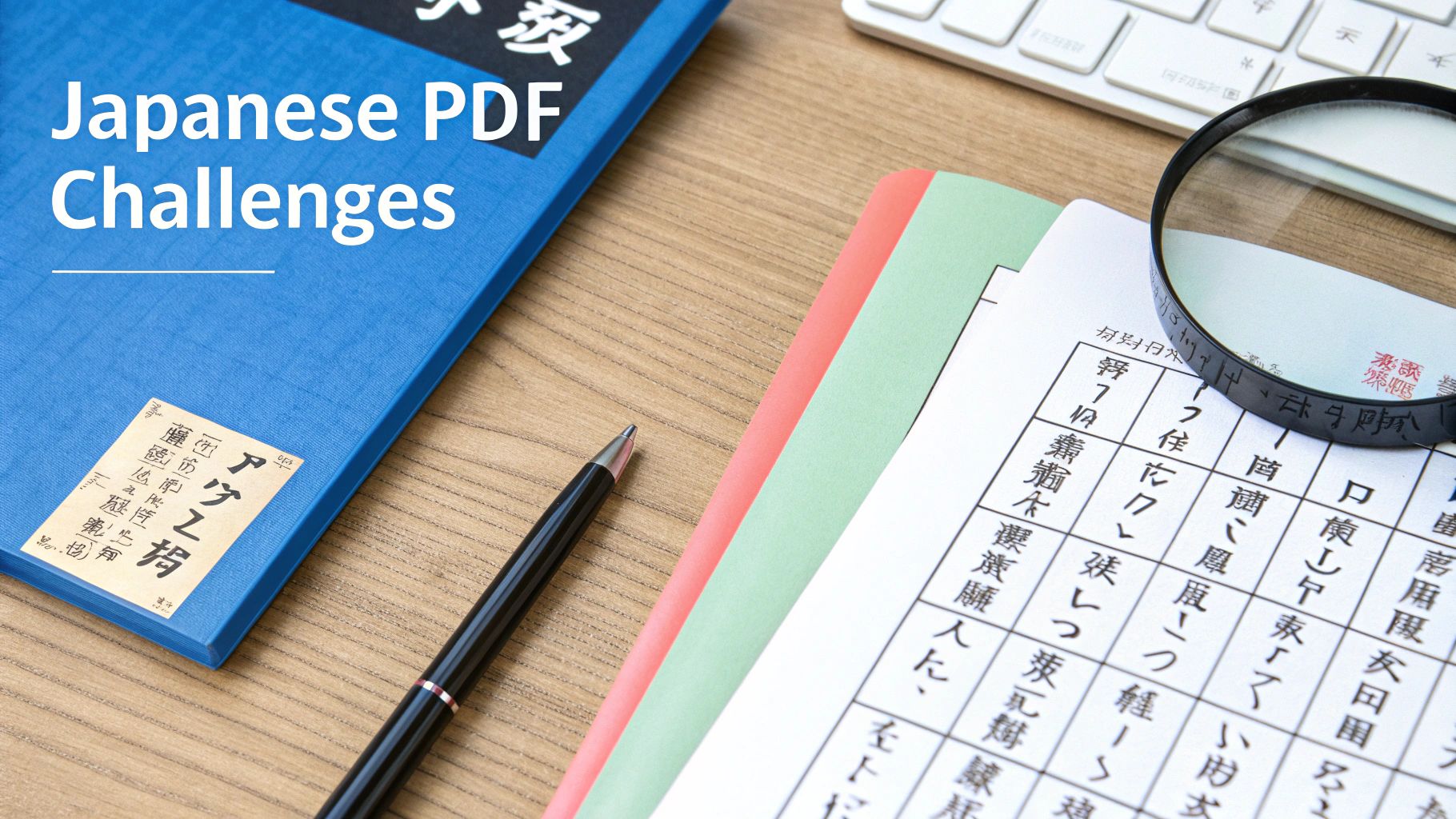
Before we jump into the "how," let's unpack the "why." Why does translating a Japanese PDF so often feel like hitting a brick wall? It's more than a language swap. You're up against some serious linguistic and technical hurdles that most off-the-shelf tools just aren't built to handle.
The biggest reason is Japan’s unique writing system, which is actually a mix of three different scripts that can all appear in the same sentence:
- Kanji (漢字): These are the complex logographic characters borrowed from Chinese, where each one can represent a whole word or concept.
- Hiragana (ひらがな): A phonetic script used for grammatical bits and pieces, like verb endings and particles that connect the sentence.
- Katakana (カタカナ): Another phonetic script, but this one is mainly for foreign words, company names, onomatopoeia, or for adding emphasis.
This intricate blend is a nightmare for many AI models. A character's meaning can change completely depending on what's around it, and that’s a nuance most free online tools will butcher nine times out of ten.
Technical and Formatting Hurdles
As if the language itself wasn't enough, the PDF format brings its own set of headaches. Many official or older Japanese documents are written with a vertical layout, flowing from top to bottom, right to left. Try running that through a standard OCR tool, and you'll get gibberish as it tries to read the text horizontally. The formatting gets mangled, and the output is a nonsensical jumble of characters.
And what if your PDF is just a scan of a paper document? In that case, the text isn't even text—it's just a flat image. You need a powerful Optical Character Recognition (OCR) tool to "read" the image and convert it into editable text. This is a critical step, and it's where errors, especially with dense and detailed Kanji, can easily sneak in.
To give you a better idea of what you're up against, here's a quick rundown of the main obstacles.
Common Japanese PDF Translation Hurdles at a Glance
| Challenge | Why It's a Problem | Best Approach |
|---|---|---|
| Three-Script System | Most standard AIs struggle to interpret the contextual mix of Kanji, Hiragana, and Katakana, leading to mistranslations. | Use a translation engine specifically trained on vast amounts of Japanese-English data. |
| Vertical Text Layout | Western OCR tools often fail to read text from top-to-bottom and right-to-left, resulting in scrambled sentences. | Find an OCR tool with Japanese language support that can recognize vertical layouts. |
| Scanned/Image-Based PDFs | The text isn't selectable, so you must rely on OCR. Poor-quality scans or complex Kanji can introduce errors. | Use high-resolution scans and a robust OCR program. Manually proofread the extracted text before translating. |
| Cultural Nuance & Context | Direct, literal translations often miss the intended meaning, especially in business or formal documents. | After machine translation, have a human editor review the text to fix context, tone, and cultural nuances. |
These challenges are a big reason why professional translation services are priced the way they are.
The professional translation industry reflects these difficulties in its pricing. Standard rates for professional Japanese-to-English translation can reach ¥15 to ¥30 or more per character for specialized PDFs like technical manuals or legal contracts. You can explore more about translation market rates and see how these challenges impact costs.
All this means that a simple drag-and-drop translation is almost guaranteed to fail. A successful project requires a smarter workflow: you have to prepare the document correctly before you even think about translation. Getting that prep work right is the secret to turning a frustrating, inaccurate output into a clear, reliable English document.
Choosing Your Translation Toolkit: AI vs. Human vs. Hybrid
When you need to translate a PDF from Japanese to English, you're faced with a few different paths. Do you go with pure AI, hire a professional human translator, or use a hybrid approach that combines both? There's no single right answer—it really comes down to your project's urgency, budget, and how perfect the final product needs to be.
For a quick and dirty translation, like getting the general idea of an internal company report, AI is a fantastic choice. It’s incredibly fast and costs next to nothing compared to hiring a person. You just have to be aware of its limits.
The Power and Pitfalls of AI Translation
AI tools are at their best with straightforward documents where you don't need to worry too much about preserving intricate formatting or picking up on subtle cultural cues. They'll chew through massive amounts of text in no time, which is great for first drafts or content that won't be seen outside your organization.
But let's look at the numbers. The best AI systems can achieve 94-98% accuracy on business documents, which is almost on par with human translators for less critical content. The catch? While a tool like Google Translate can process a PDF in seconds, it often struggles to keep the original Japanese layout intact—you might see formatting retention as low as 75%.
A hybrid model is often the sweet spot. It uses AI to do the initial heavy lifting, getting a solid first draft done quickly. Then, a human expert steps in to polish the text, correcting any awkward phrasing, fixing contextual mistakes, and ensuring the style is right. This approach saves a lot of time and money compared to a fully human workflow from start to finish.
When to Insist on a Human Expert
For documents where every word matters, there's no substitute for a human translator. I’m talking about legal contracts, major marketing campaigns, or books intended for publication. This is where precision and cultural understanding are everything. A seasoned professional can catch nuance, humor, and subtext that an AI would completely miss. If you're curious about the technology behind this, understanding how to utilize Python for NLP gives you a peek into how these language models work.
So, how do you decide? It all comes down to what you're trying to achieve. Ask yourself a few key questions:
- Who is the audience? Is this for an internal team meeting or for your customers?
- What is the content? Are you translating a technical manual with simple language or a creative work full of idioms?
- What are your constraints? How fast do you need it, and what's your budget?
The debate isn't really about which is better, the machine or the person. It's about picking the right tool for the job. To get a more detailed breakdown, you can check out our guide on the pros and cons of AI versus human book translation. By thinking through these factors, you can put together the most effective toolkit for your project.
Getting Your PDF Ready for a Clean Translation
A great translation starts well before you even think about the target language. It's all about the prep work. If you skip this part, you're practically guaranteed to get a jumbled, nonsensical mess on the other end. The old saying "garbage in, garbage out" is especially true when you need to translate a PDF from Japanese to English.
First thing's first: you have to make sure a machine can actually read the text in your document. If your PDF is just a scan or an image of text, the content is trapped. To get it out, you need Optical Character Recognition (OCR).
Unlocking the Text with OCR
OCR software is the magic key. It scans the document, recognizes the shapes of the characters, and converts them into text you can actually select and edit. This creates the bridge between a flat, unreadable image and a file that a translation tool can process.
Most professional tools, like Adobe Acrobat, have this built right in. You just run the OCR function, and it makes the scanned text workable for the next step.
Without this, no translation engine on the planet can do its job. It would be like asking someone to translate a book with all the pages glued shut. OCR is what pries those pages apart.
The Cleanup Phase: Handling Layouts and OCR Quirks
Once you've run the OCR, you're not quite done. OCR technology is good, but it's not perfect—especially when dealing with complex Kanji characters. It’s absolutely essential to give the extracted Japanese text a quick proofread to catch common mistakes.
- Mixed-up Characters: Keep an eye out for similar-looking Kanji that the software might have confused.
- Weird Spacing: OCR can sometimes get confused by columns or vertical layouts, inserting line breaks where they don't belong.
- Punctuation Glitches: A misplaced comma or period can completely change the meaning of a sentence, so check these carefully.
A clean source file is the single best predictor of a successful translation. I can't stress this enough. Spending just ten minutes cleaning up OCR errors can save you hours of frustrating post-editing later. You're giving the AI the best possible material to work with.
Vertical text is another classic challenge. Many Japanese documents are formatted top-to-bottom, and some OCR tools just can't handle it. If you run your file and get gibberish, try this little trick: rotate the pages 90 degrees and run the OCR again. Sometimes, that simple change is all it takes to force the software to recognize the characters correctly. It's also a good practice to make sure your original file is secure by understanding the basics of protecting a PDF document from editing before you start converting and changing things.
Does the File Format Really Matter? Yes.
Finally, think about converting your PDF to a simpler format before you translate. PDFs can be a real headache. They're often packed with complex layers, hidden metadata, and finicky formatting that can trip up translation software.
By converting the document to a cleaner format like EPUB or even just a plain text file, you strip away all that extra baggage. This makes the job much easier for the AI, letting it focus on what it does best: translating the language. You can dive deeper into this topic by checking out this comparison of EPUB vs PDF for AI translation. A little prep goes a long way toward getting a perfect result.
Bringing the Translation to Life: A Practical Workflow
Alright, you've done the hard work of prepping your source file. Now for the main event: turning that clean Japanese text into polished, readable English. This is where we move from preparation to actual translation, and a smart workflow makes all the difference. The goal isn't just to get words from one language to another; it's to guide the AI to give you the strongest possible starting point.
Configuring Your AI for Success
First things first, you'll need to upload your file to your chosen translation tool. Whether you're using a specialized service like BookTranslator.ai or another platform, the process is usually simple. But don't just click "translate" and walk away. The magic is in the configuration settings.
This is your chance to give the AI crucial context. Think of it as giving a human translator a project brief.
- Define the Subject Matter: Is this a dense technical manual, a nuanced legal contract, or a snappy marketing brochure? Telling the AI the subject helps it pick the right terminology from the start.
- Set the Tone of Voice: Are you aiming for a formal, academic tone or something more casual and conversational? This single setting has a massive impact on word choice and sentence structure.
- Upload a Glossary: If you have a list of essential terms—brand names, product-specific jargon, or key concepts—upload it. A glossary forces the AI to be consistent and accurate with the words that matter most.
The prep work you did before this step is the foundation for a good translation. This diagram is a great reminder of that process.
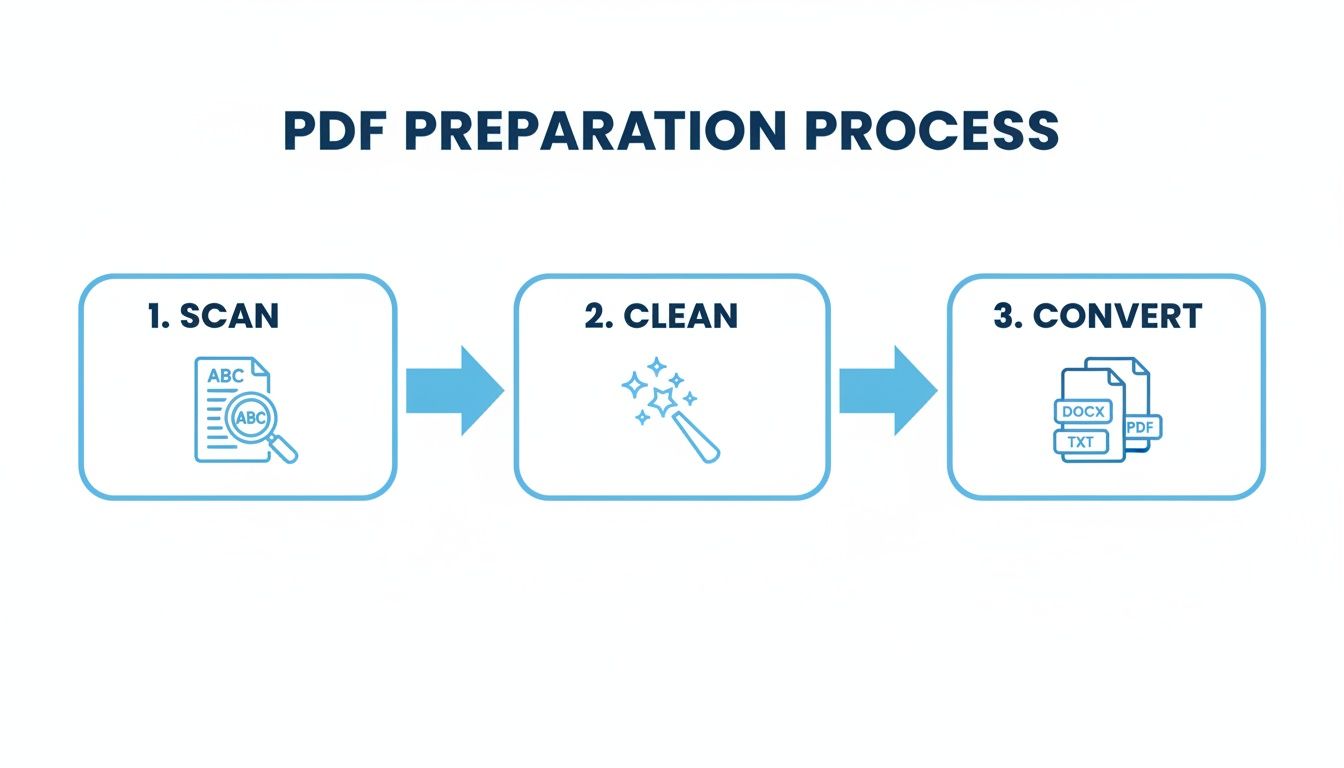
It really drives home that a quality translation doesn't start in the AI tool; it starts with a clean, well-structured source file.
Turning Raw Output into a Solid Draft
Once you hit "go," the AI will process the text. Modern tools are pretty good at keeping basic formatting like headings, paragraphs, and bold text intact. But what you get back is a first draft. It might be a surprisingly good draft, but it's still just the beginning. Your immediate next step is a quick quality check to catch common AI mistakes.
This is especially true when you translate a PDF from Japanese to English. The linguistic gap between these two languages creates predictable traps for the AI. While Japanese, English, and Chinese speakers represent over 80% of global online purchasing power, language barriers often block access to Japan's massive $745 billion export market. Even with incredibly high accuracy, AI needs a guiding hand with Japanese. You can dig into more translation statistics that highlight these global economic realities.
Think of the AI's first output as a rough-cut block of marble. The basic shape is there, but it’s your job to do the fine carving. This initial review isn't about achieving perfection. It's about spotting and fixing the most glaring errors to turn the raw text into a workable draft ready for a proper proofread.
Spotting Common AI Errors
On your first pass, keep an eye out for these classic mistakes that AI translators often make when working with Japanese.
- Overly Literal Translations: Look for idioms or common expressions that have been translated word-for-word, creating phrases that make no sense in English.
- Awkward Phrasing: The AI can produce sentences that are technically grammatically correct but just don't sound natural. If it reads like a robot wrote it, mark it for revision.
- Formatting Glitches: Do a quick scan for broken tables, images that have shifted, or weird font changes that might have slipped through during the translation process.
- Mistranslated Honorifics: Japanese has a complex system of honorifics (like -san, -sama, -sensei) that have no direct English equivalent. AI often fumbles these, either dropping them entirely or translating them in a clunky, unnatural way.
By systematically looking for these specific issues, you can quickly elevate the raw output into a coherent and solid document. This prepares you for the final, detailed polishing phase where the real magic happens.
The Final Polish: Post-Editing and Proofreading
Let's be clear about one thing: a raw AI translation is never the final product. Hitting the "translate" button gets you about 80% of the way there, but that last 20% is what separates a decent document from a great one. This is where human review comes in, a process we call Post-Editing Machine Translation (PEMT).
The AI does the heavy lifting, but it's up to a skilled human—whether that's you or a professional editor—to add the nuance and polish that machines just can't replicate. This is where you close the gap between an understandable translation and a truly professional document.
Your Post-Editing Checklist
Think of this stage less like proofreading and more like a focused hunt for specific kinds of mistakes. A machine might get the individual words right but miss the intended meaning entirely. As you go through the text, you're looking beyond simple typos to ensure the document is accurate, natural, and culturally appropriate for an English-speaking audience.
Your review should zero in on a few key areas:
- Grammatical Gremlins: Keep an eye out for awkward sentence structures, incorrect verb tenses, and misplaced punctuation that make the text feel clunky or difficult to follow.
- Cultural Missteps: Does the translation use idioms or references that make perfect sense in Japanese but fall flat—or worse, are confusing—in English?
- Inconsistent Terminology: Make sure that key technical terms, brand names, and recurring phrases are translated the same way every single time they appear. Consistency is critical for clarity.
- Tone and Formality: Check that the tone matches the original document. A formal business report shouldn't suddenly sound like a casual email.
This systematic approach is what truly separates an amateur attempt from a polished, professional outcome when you translate a PDF from Japanese to English.
The goal of post-editing isn't to re-translate from scratch. It's to take the AI's speedy output and then apply human intelligence to refine, correct, and perfect it. This hybrid approach gives you the best of both worlds: efficiency and quality.
Common Japanese to English AI Errors
Japanese poses some unique challenges for AI, which often leads to predictable mistakes. For instance, Japanese honorifics like "-san" or "-sensei" don't have direct English equivalents, and AI often handles them clumsily, resulting in overly formal or just plain awkward phrasing.
Another classic error is the overly literal translation of common expressions. An AI might translate a phrase word-for-word, creating a sentence that's nonsensical in English because it completely missed the idiomatic meaning. Only a human can reliably catch these subtle issues. Understanding the mechanics behind the curtain can help you anticipate these problems; you can learn more about how AI detects translation errors and improves over time.
Whether you're editing the document yourself or bringing in an expert, this final polish is non-negotiable. It’s the last step that guarantees your translated document is clear, accurate, and truly ready for its intended audience. Without it, you’re left with a rough draft, not a finished product.
Got Questions About Translating Japanese PDFs? You're Not Alone.
When you first dive into translating a Japanese PDF, a few common questions always seem to surface. Figuring out the answers early on can save you a ton of headaches and help you pick the right workflow for your specific document. Let's get them out of the way.
Can't I Just Use a Free Online Tool?
Look, for a quick gist of what a document says, a free tool might be fine. But for anything that needs to be accurate, look professional, or maintain its original layout, the answer is a hard no.
Free tools tend to fall apart with Japanese. They often choke on the three-script system (hiragana, katakana, and kanji), mangle complex layouts—especially vertical text—and give you no chance to fix character recognition errors before the translation engine gets its hands on the text. You usually end up with a garbled mess that takes more time to fix than it would have to do it right the first time.
My PDF Is Scanned. How Do I Handle Unselectable Text?
This is where Optical Character Recognition (OCR) becomes absolutely essential. There's no way around it. An OCR tool scans the image of your document and turns the Japanese characters into actual, machine-readable text. Without this step, no translation tool can even begin to understand your file.
For the best results, a couple of things are key:
- Start with a high-quality scan. I'm talking 300 DPI or higher.
- Make sure your OCR software specifically supports Japanese. Generic OCR just won't cut it.
- Always, always proofread the extracted Japanese text for errors before you even think about translating.
What's the Best Way to Keep My Document's Formatting Intact?
Ah, the million-dollar question. Preserving formatting is easily one of the biggest hurdles. While there's no magic bullet, a few strategies can make a massive difference.
First off, consider converting the PDF to a format that's more flexible, like EPUB. Because EPUBs are designed to reflow, they aren't as rigid as PDFs. This gives AI tools a much better shot at keeping structural elements like chapters and headings in the right place.
The most reliable approach I've found is using an AI translation service built specifically for long-form documents. These platforms are designed from the ground up to recognize and replicate layouts, paragraph breaks, and text styling. It saves you countless hours of manual reformatting.
Even with the best tools, you might still need to do a little manual cleanup, especially if your document has complex tables or a lot of graphics. But by choosing the right tools and format from the start, you can get that post-translation work down to a minimum and have a polished final document in your hands much, much faster.
Ready to translate your book with professional precision? BookTranslator.ai offers a seamless, AI-powered solution that preserves your original layout and meaning. Upload your EPUB and get started today.