
If you're looking for the fastest way to convert a German to English PDF, you might be tempted to just copy and paste the text into a free online translator. But for professional work where the layout and formatting actually matter, you need a more robust approach. The secret lies in first making the text editable and then using a specialized tool designed for entire documents, like BookTranslator.ai.
Your Proven Workflow for Flawless PDF Translation
Let's cut right to the chase. The real nightmare when you convert German to English PDF files isn't usually the translation quality—it's the formatting that completely falls apart. We've all seen it: you paste your text, and what you get back is a mess of jumbled paragraphs, broken tables, and missing images. This kind of chaos makes the final document look unprofessional and, frankly, unusable.
A reliable, real-world workflow is all about preventing this from happening. It’s a game plan that ensures your final English PDF looks just as polished as the original German version.
The Core Translation Stages
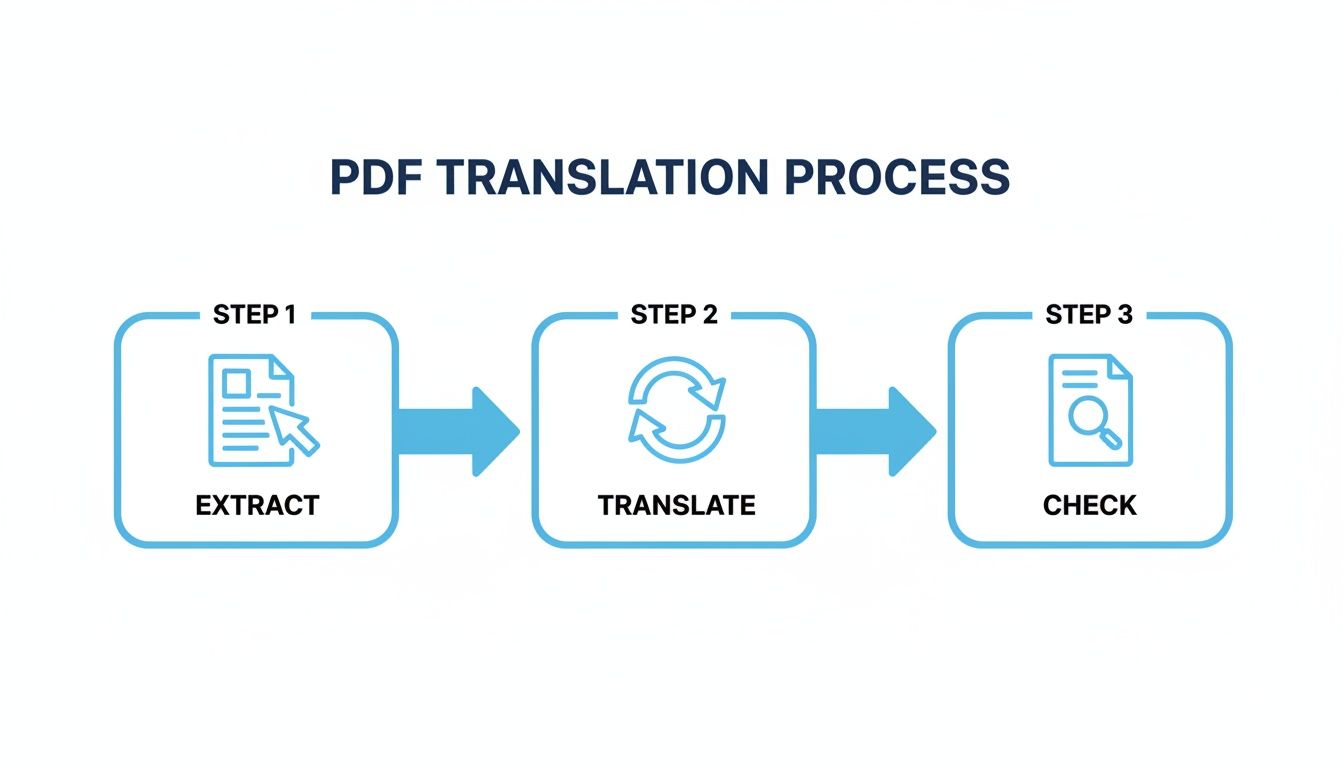
I've learned to think about this process in three distinct stages: document prep, the actual translation, and a final quality check. Skipping any one of these is where things tend to go off the rails.
- Extraction and Preparation: This is the groundwork. Before a single word gets translated, you need clean, selectable text. If you’re working with a scanned document, this means running Optical Character Recognition (OCR) to turn those images of words into real, machine-readable text.
- Intelligent Translation: Next up, you need a tool built for documents, not just isolated phrases. This is where an AI-powered service like BookTranslator.ai really shines. It's designed to understand the context of the document and preserve complex layouts, so headings, bullet points, and images don't go wandering off the page.
- Quality Assurance (QA): The final step is a human review. You’re not just proofreading; you're checking for any subtle linguistic nuances the AI might have missed and giving the whole document a visual once-over to confirm the formatting is perfect.
This visual gives a great high-level overview of how these stages fit together.
To help you keep these steps straight, here’s a quick breakdown of the process.
Key Stages in PDF Document Translation
This table outlines the essential phases for a successful translation project, from initial prep to final delivery.
| Stage | Objective | Key Tool/Technique |
|---|---|---|
| Preparation | Convert the PDF into an editable format with clean text. | OCR software for scanned PDFs, or a PDF-to-EPUB converter. |
| Translation | Accurately translate the content while preserving layout. | A document-focused AI translator like BookTranslator.ai. |
| Quality Assurance | Verify translation accuracy and confirm visual integrity. | Manual review, proofreading, and format checking. |
Each step logically builds on the last, creating a structured process that drastically reduces errors and saves you a ton of time you'd otherwise spend on rework.
If you find yourself managing lots of documents, you might want to explore a broader range of PDF tools for other tasks. For now, though, consider this workflow your high-level map. In the next sections, we'll get into the nitty-gritty of how to execute each stage perfectly.
Getting Your German PDF Ready for a Flawless Translation
A great translation doesn't just happen at the click of a button. The groundwork you lay beforehand is what makes the difference between a clean, professional English document and a jumbled mess of text with a broken layout. How you prep your file is the single most important factor in getting a quality result.
First things first, you need to figure out what kind of PDF you're working with. Can you click and highlight the text? If so, you have a "true" or text-based PDF. If it's just a flat image of a page—like a photo—then you've got a scanned document. This one distinction dictates your entire workflow.
Unlocking the Text with Optical Character Recognition
If your German PDF is a scanned document—maybe an old technical manual, a historical archive, or a page from a physical book—your first job is to run it through Optical Character Recognition (OCR) software. This tech is a game-changer; it scans the image of the page and intelligently converts the shapes of the letters into actual, editable text that a translation tool can process.
Trying to translate a scanned PDF without OCR is a dead end. The AI simply sees a picture, not words, and the process will go nowhere. The quality of your OCR scan directly sets the ceiling for the quality of your final translation. A fuzzy scan will produce garbled German text, which in turn will result in a nonsensical English version.
To get the best possible results from OCR, follow these tips:
- Use a high-quality scan: Make sure the document is flat, evenly lit, and scanned at a resolution of at least 300 DPI (dots per inch).
- Aim for clarity: Shadows, crooked pages, or blurry text will trip up the OCR software. A clean source image is non-negotiable.
- Quickly proof the output: Once the OCR is done, give the extracted German text a once-over. Look for any obvious mistakes, especially with those unique German characters like umlauts (ä, ö, ü) and the Eszett (ß).
The Pro Move: Using an Intermediate Format
Once you have clean, selectable text, your first instinct might be to upload the PDF directly for translation. Hold on. Here’s a pro tip that can save you a world of headaches: convert the document to a more flexible format like EPUB or DOCX first.
It might seem like an unnecessary extra step, but it’s a secret weapon for preserving your document’s layout. PDFs are designed to be static and fixed, which is why their formatting so often shatters when text is replaced during translation.
EPUB, however, is a "reflowable" format built for digital reading. It’s far more forgiving and adaptable to the changes in word length and sentence structure that naturally occur between German and English. We dive deep into why this works so well in our guide on EPUB vs. PDF for AI translation.
By converting to a format like EPUB first, you effectively lock in the placement of your tables, charts, and images. When the AI translates the surrounding text, these visual elements stay put, saving you hours of frustrating manual adjustments later.
Mastering this kind of prep work is more important than ever. The global language services market is projected to hit USD 127.53 billion by 2032, with Europe driving nearly half of that demand. A huge part of this growth is the need for accurate document conversions, making these preparation techniques incredibly valuable. For more on this, check out these insightful translation industry statistics.
Choosing the Right AI Tool to Preserve Your Layout
When you need to convert a German PDF into English, getting the words right is only half the battle. If you're dealing with business reports, technical manuals, or academic papers, keeping the original layout—the tables, images, and styling—is just as important. This is precisely where the standard copy-and-paste translation websites completely miss the mark.
Those free tools are built for one thing: raw text. They see words, not structure. When you drop a complex document in, they strip out all the formatting, leaving you with a giant wall of text that can take hours of painstaking work to put back together.
Beyond Simple Text Translation
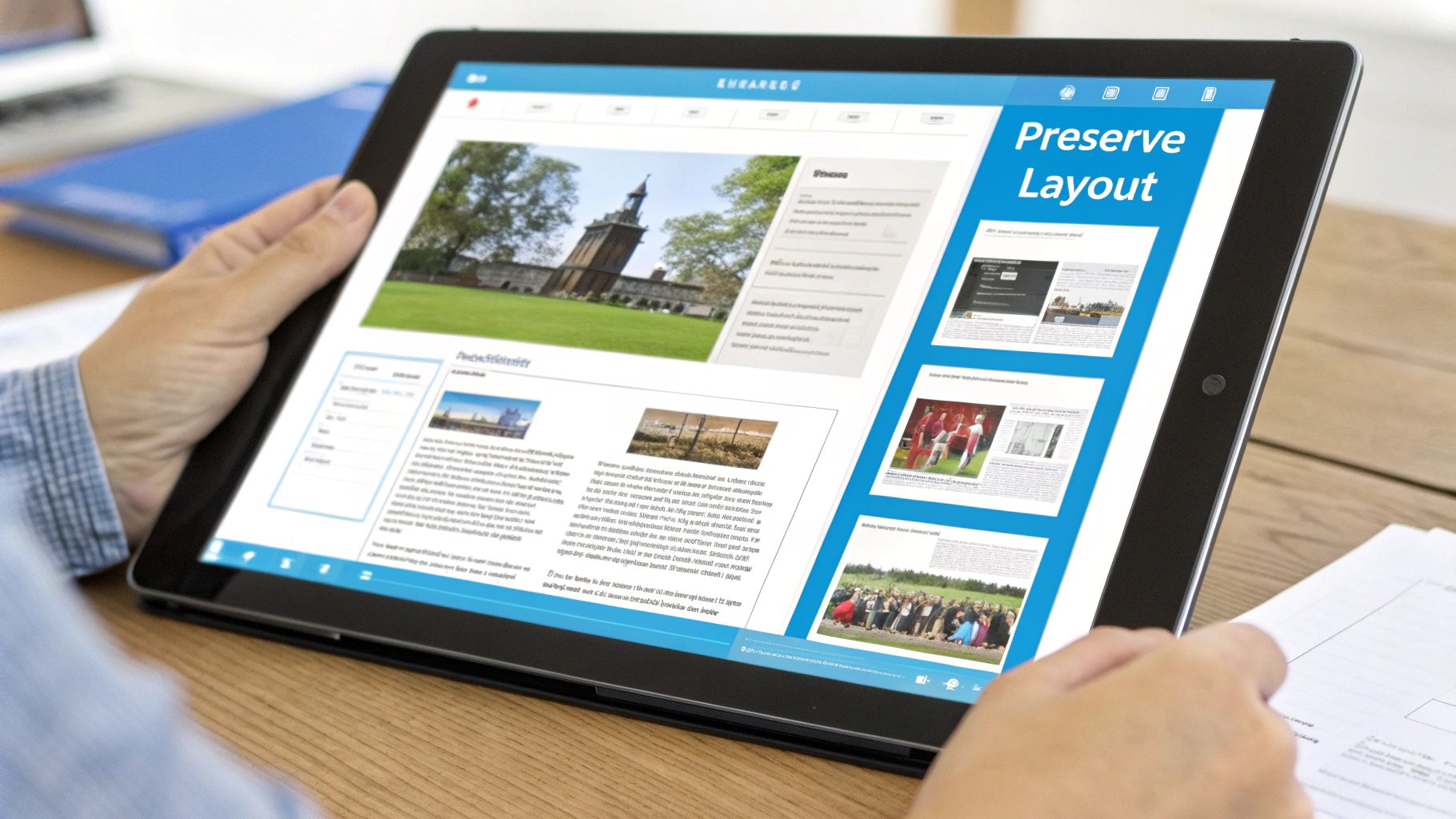
To keep the visual integrity of your document, you need a tool that was actually built for this specific job. Platforms like BookTranslator.ai are engineered to analyze the entire document structure before a single word is translated. They don't just see a block of text; they recognize headings, paragraphs, image placements, and even tricky footnotes as individual elements.
It's a fundamentally different approach. The AI maps the original layout first, then carefully slots the translated English text back into the correct places. The result is a new document that looks just like the original, saving you from a tedious and often error-filled reformatting nightmare.
The key takeaway is this: A dedicated document translator works with the entire file, not just the text within it. It understands the relationship between content and design, which is the secret to keeping your layout intact.
What to Look For in a Document Translation Tool
As you start looking at different options, you'll quickly find that not all AI tools are created equal. The technology is moving fast, driven by a machine translation market that’s projected to grow by USD 1.5 billion by 2029. With cloud-based solutions making up roughly 65% of that market, powerful tools are more accessible than ever. For a deeper dive into this growth, especially in key regions like Germany, you can check out the full machine translation market analysis.
So, what really matters when picking a tool for your German PDF?
- Layout Preservation Engine: Does the tool openly advertise its ability to keep your formatting? Look for features described as "layout preservation," "style retention," or "document cloning."
- Handling of Complex Elements: Your PDF probably has more than just text. Make sure the platform can correctly handle tables, charts, embedded images, and footnotes without breaking them.
- Language Nuance: German is a very precise language. The AI model needs to be sophisticated enough to grasp its grammatical complexities and idioms to produce an English translation that sounds natural. When weighing your options, consider the capabilities of specific models like Google's Gemma 3 12B, which is known for features that are crucial for maintaining PDF layouts.
A Quick Comparison of Methods
To help you decide, I've put together a quick table comparing the most common approaches. The right choice really depends on what you need the final document for.
Comparing PDF Translation Methods
| Method | Accuracy | Layout Preservation | Best For |
|---|---|---|---|
| Free Online Tools | Low to Medium | None | Quickly understanding the gist of a simple text document. |
| Standard AI Translators | Medium to High | Minimal | Translating plain text where formatting is not a concern. |
| Specialized Document AI | High | Excellent | Professional documents, books, and reports where layout is critical. |
For a quick, informal translation, a free tool might be all you need. But for a polished, professional document, a specialized platform is really the only way to go. To get your files in the best shape for this process, you might want to review our guide on the https://booktranslator.ai/blog/top-tools-for-translation-friendly-formatting.
Ultimately, picking the right AI tool is the most critical step in this entire workflow. It’s the difference between a quick win and a frustrating project that eats up your time. By choosing a tool that understands and respects your document's original design, you ensure the final English PDF is professional, readable, and ready for your audience.
Mastering the Post-Translation Quality Check
AI translation tools get your document remarkably close to the finish line, but they aren't perfect. That final, critical polish comes from human oversight. This Quality Assurance (QA) phase is where a good translation becomes a great one, and it's your chance to catch the subtle errors an algorithm might miss when you convert a German to English PDF.
Think of it this way: AI does the heavy lifting, but the last 5-10% of refinement is on you. This is where your expertise turns a technically correct document into a professional and reliable one.
A Practical Checklist for Textual Review
Before you even think about the layout, the English text itself needs a thorough pass. Machine translation can spit out sentences that are grammatically perfect but feel clunky, unnatural, or just plain off. Your goal here is to refine, not rewrite from scratch.
Here’s what I always look for during a review:
- Contextual Accuracy: Does the translation actually make sense in its specific context? AI can stumble on words with multiple meanings. For example, the German word "Läufer" could mean a runner, a rug, or a chess piece. Only a human can reliably pick the right one based on the surrounding text.
- Cultural Nuances: Be on the lookout for idioms or cultural references that don't have a direct one-to-one translation. A literal translation can sound bizarre or completely miss the point.
- Tone and Formality: The feel of the English text has to match the original German. If you’re translating a formal business report, it can't come out sounding like a casual blog post.
If you want to go even deeper, our article on the essential digital book translation quality checklist is a fantastic resource.
The Side-by-Side Visual QA Process
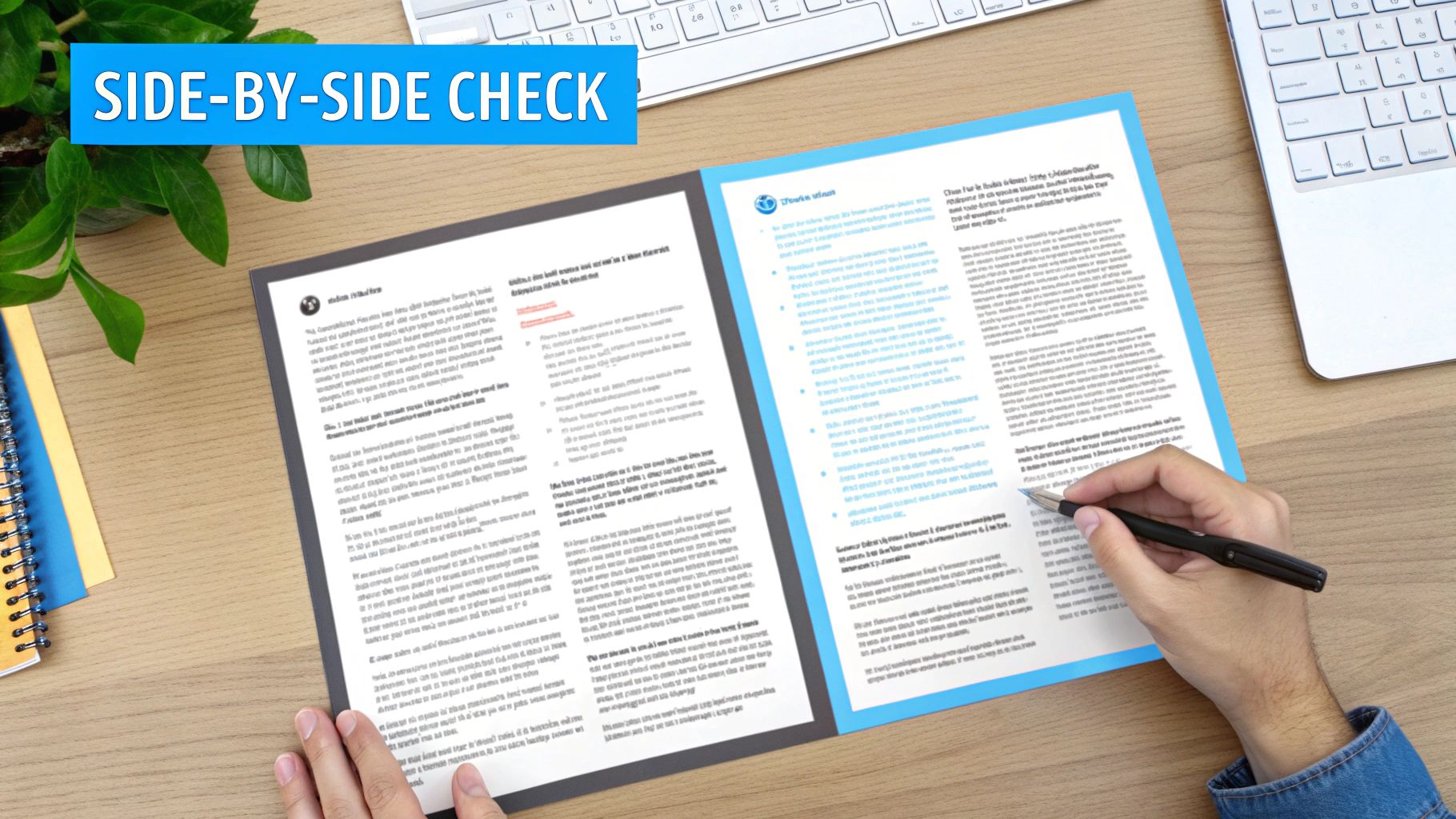
Once you’re happy with the words, it’s time to check the visuals. The translation process, especially with languages that expand or contract, can sometimes play havoc with a document’s structure. The most effective way to catch this is a simple side-by-side comparison.
Pull up the original German PDF and your new English version on the screen. Then, just scroll through them together, page by page.
I always pay extra attention to the elements that are most likely to shift. Things like tables, images with captions, bulleted lists, and headers are common culprits. English text can run longer or shorter than its German equivalent, and that difference in length can push these elements out of alignment.
This visual check is what ensures your final PDF isn't just accurate in its content but also looks professional and put-together.
Finalizing and Exporting Your PDF
After you’ve done your textual and visual QA and made any last-minute tweaks, the final step is exporting the document. Make sure you save it as a high-quality PDF. Most tools give you different export settings—always go for an option optimized for quality or printing, not the "minimum size" setting.
This last export locks in all your hard work. You’ll have a polished, professional English PDF that's ready to go, perfectly mirroring the integrity of the original German document.
Tackling Common PDF Translation Headaches
Even with a perfect plan, you're bound to hit a few snags when translating German PDFs. Things go wrong. It happens. But when they do, it's almost always one of a few usual suspects, and knowing how to spot and fix them will save you a world of frustration.
The most common complaint I hear? Garbled, nonsensical text in the final English version. Nine times out of ten, this isn't the translator's fault. It’s a classic case of "garbage in, garbage out" caused by a shoddy Optical Character Recognition (OCR) scan. If your OCR software messes up reading the original German, the AI will dutifully translate that gibberish, leaving you with a useless document.
Fixing Garbled Text and Character Glitches
If your translation looks like a jumbled mess, your first stop should be the OCR output. Don't just blindly accept what the software gives you.
- Boost the scan quality. Rerun the OCR process, but this time, crank up the resolution. Aim for 300 DPI or higher to give the software a much clearer image to analyze.
- Hunt down special characters. German umlauts (ä, ö, ü) and the Eszett (ß) are notorious for confusing less sophisticated OCR tools. Before you even think about translating, manually scan the extracted German text for these characters. A simple word like "Fußball" can easily become "Fu§ball," which will completely throw off the translation AI.
I can't stress this enough: your translated output is only as good as your source text. Spending an extra five minutes cleaning up the OCR-scanned German will save you hours of pain trying to decode a nonsensical English translation later.
Another classic headache is a layout that completely falls apart. You do everything right, but the final English PDF is a disaster—tables are broken, images are misplaced, and text is overlapping. This usually happens because translated text rarely has the same character count, and the expansion or contraction of sentences shatters the PDF's rigid formatting.
How to Stop the Layout from Shifting
The best way to fix a broken layout is to prevent it from ever happening. If you’re looking at a document with a complex design—lots of columns, tables, and custom graphics—don't try to translate the PDF directly.
Instead, your best bet is to convert the PDF into a more flexible format like EPUB or DOCX first. These formats are "reflowable," meaning they're built to handle changes in text length without breaking. The AI can work its magic within this fluid structure, and when you convert it back to a PDF at the very end, the layout will hold together beautifully.
Getting these little details right is what separates amateur work from professional results. It’s a critical skill in a booming industry; the global translation services market is expected to hit an incredible USD 1.18 trillion by 2035. A huge chunk of that growth is driven by the need for precise document conversions for business and legal needs in major economies like Germany. If you’re interested in the numbers, you can discover insights about the translation service market and see why mastering this workflow is so valuable.
Common Questions About PDF Translation
Even with a step-by-step guide, a few specific questions always pop up when translating German PDFs. Let's tackle the most common ones I hear, so you can move forward with your project confidently.
What's the Trick to Translating a Scanned German PDF?
This is a big one. The short answer? You can't translate it directly. A scanned PDF is basically a photograph of a page; it’s all pixels, not actual text that a machine can read.
The crucial first step is to run it through Optical Character Recognition (OCR) software. This tech is designed to scan the "image" of the text, identify the characters, and convert them into a digital, editable format. Once the OCR process is done, a tool like BookTranslator.ai can finally get to work on the actual words.
Will Translating My PDF Completely Wreck the Formatting?
It’s a totally valid fear, because with most basic tools, the answer is a resounding "yes." Standard online translators are built for plain text. They'll grab the words and toss out everything else, leaving you with a jumbled mess of content. German sentences are often structured differently than English ones, so when the text is replaced, line breaks get thrown off, columns misalign, and images end up in weird places.
This is precisely where a dedicated document translator makes all the difference.
Tools built specifically for document translation, like BookTranslator.ai, don't just translate text. They first analyze and map out the entire layout. They're programmed to hold onto the original structure—headings, font styles, image placement, everything—ensuring the final English version looks just like the German one.
Is It Possible to Convert a German PDF to English for Free?
Technically, yes, but you get what you pay for. Free online tools can be fine if you just need the gist of a simple, text-only document and aren't worried about formatting or privacy. For anything professional, sensitive, or complex, they just don't cut it.
Here’s what you’re up against with free services:
- No Layout Preservation: As we just covered, they will almost certainly destroy your document’s formatting.
- Lower Quality Translation: Free tools tend to produce very literal, often clunky translations. They miss the nuances that are critical for professional communication.
- Major Privacy Risks: When you upload a document to a free service, you often lose control over that data. This is a non-starter for business contracts, legal papers, or any confidential information.
When you need a high-quality result that maintains the original design and keeps your data secure, investing in a paid tool is the only way to go. In studies comparing translation engines, specialized tools consistently deliver better results than generic free ones, especially for complex language pairs like German and English. To give you an idea, professional systems can hit accuracy rates as high as 94% for English-to-Spanish, which shows just how wide the gap is between free and paid solutions.
Ultimately, it comes down to your needs. For a quick, informal lookup, a free tool might be enough. But for any document that matters to you or your business, a dedicated platform is the only way to guarantee a polished, professional outcome.
Ready to translate your documents with precision and keep your layout perfectly intact? With BookTranslator.ai, you can convert entire books and complex PDFs while preserving the original formatting. Start your professional-quality translation today.